Tap through a client's app.
The same screens your clients use, with a demo household's numbers: what's safe to spend today, a payoff date for every debt, every expense matched to a payday.
An interactive tour of real app screens. Use the buttons on the phone, or the Next button beside it, to move through it.
Take the client app for a spin
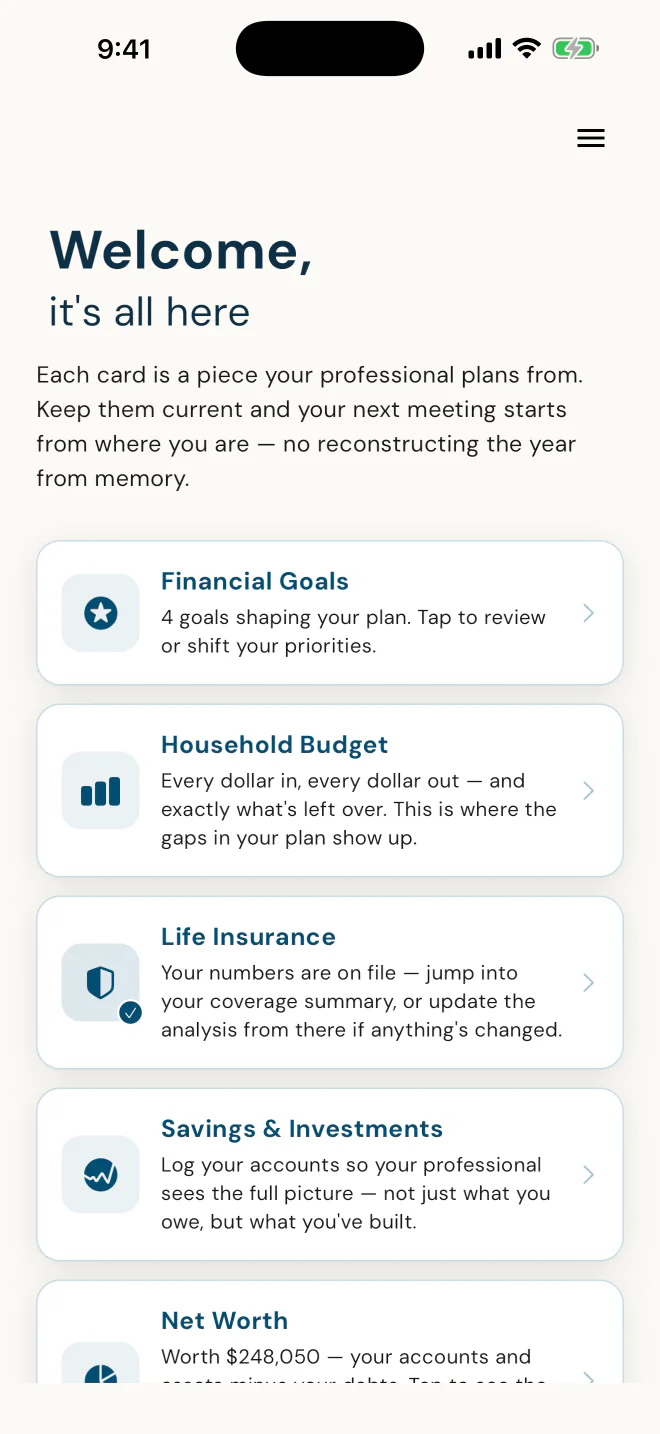
It tells them why to keep it current.
In the app's own words: "Keep them current and your next meeting starts from where you are."
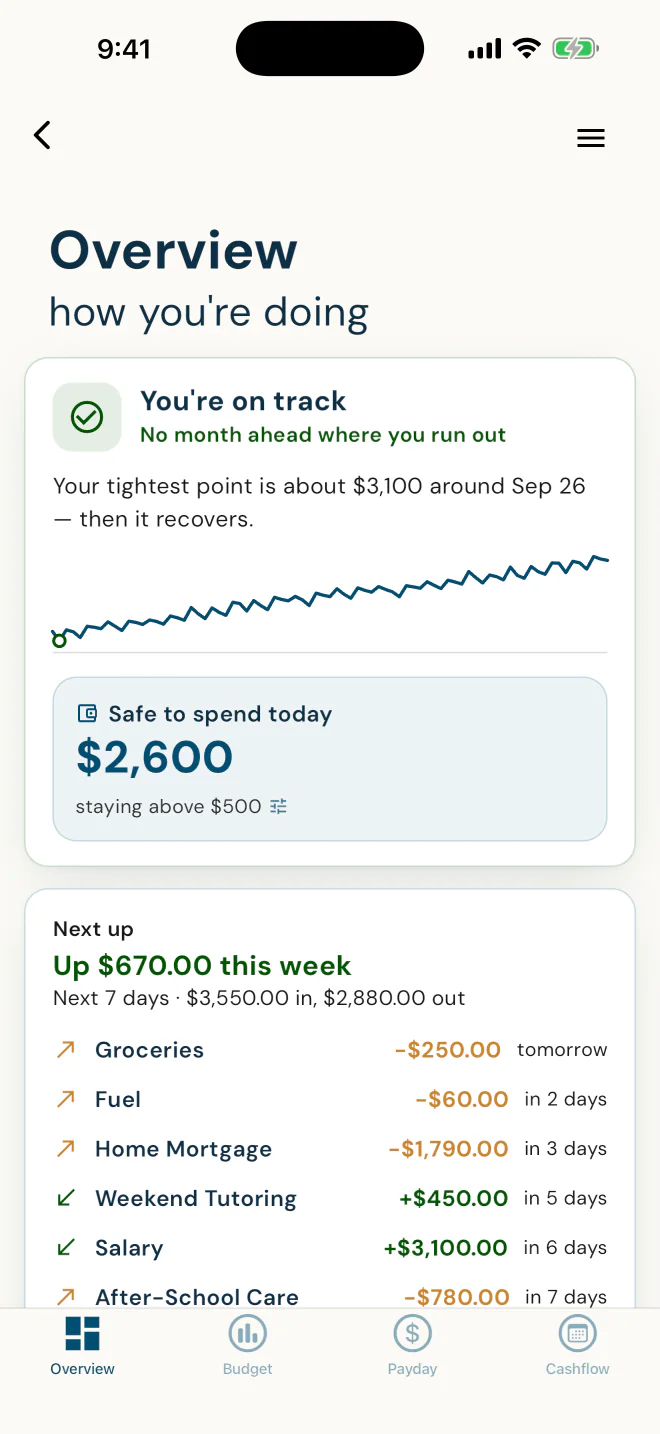
What's safe to spend today, in one number.
It plays their scheduled bills and paydays forward twelve months, stays above a cushion they choose, and names the tightest point before it arrives. For Alex: "You're on track."
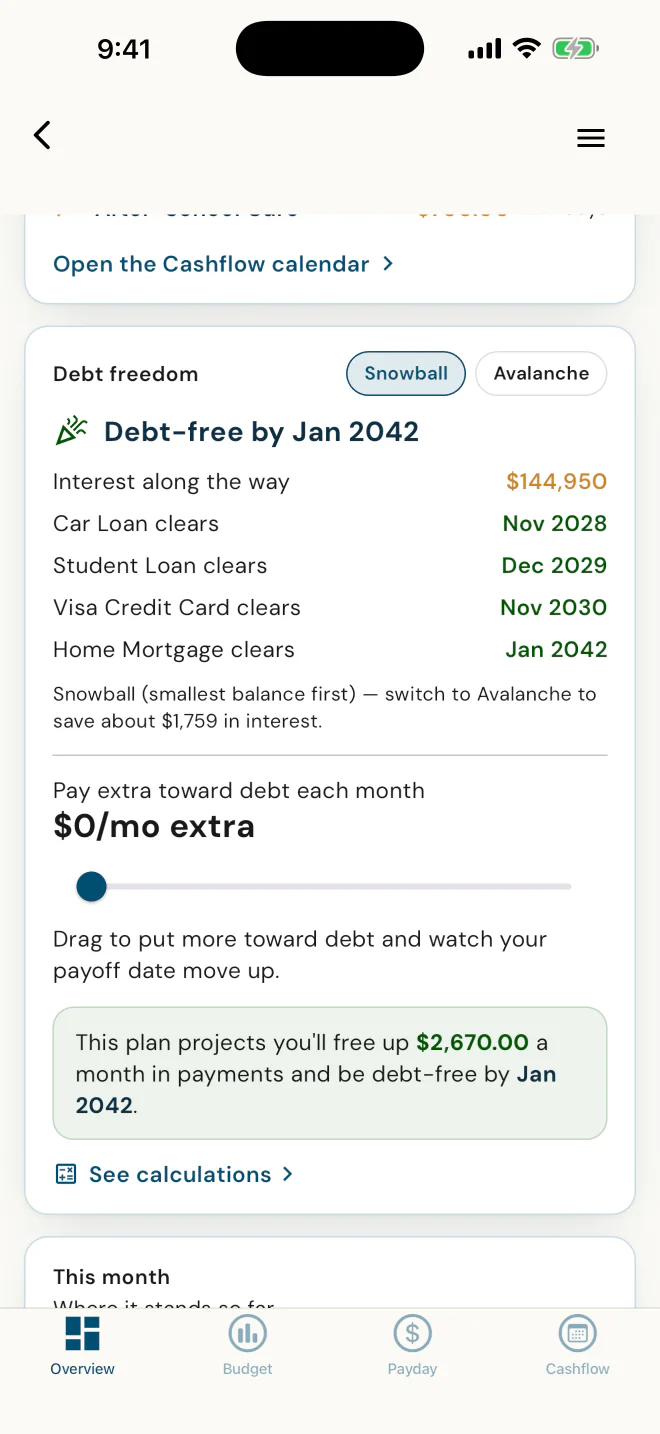
A payoff date for every debt.
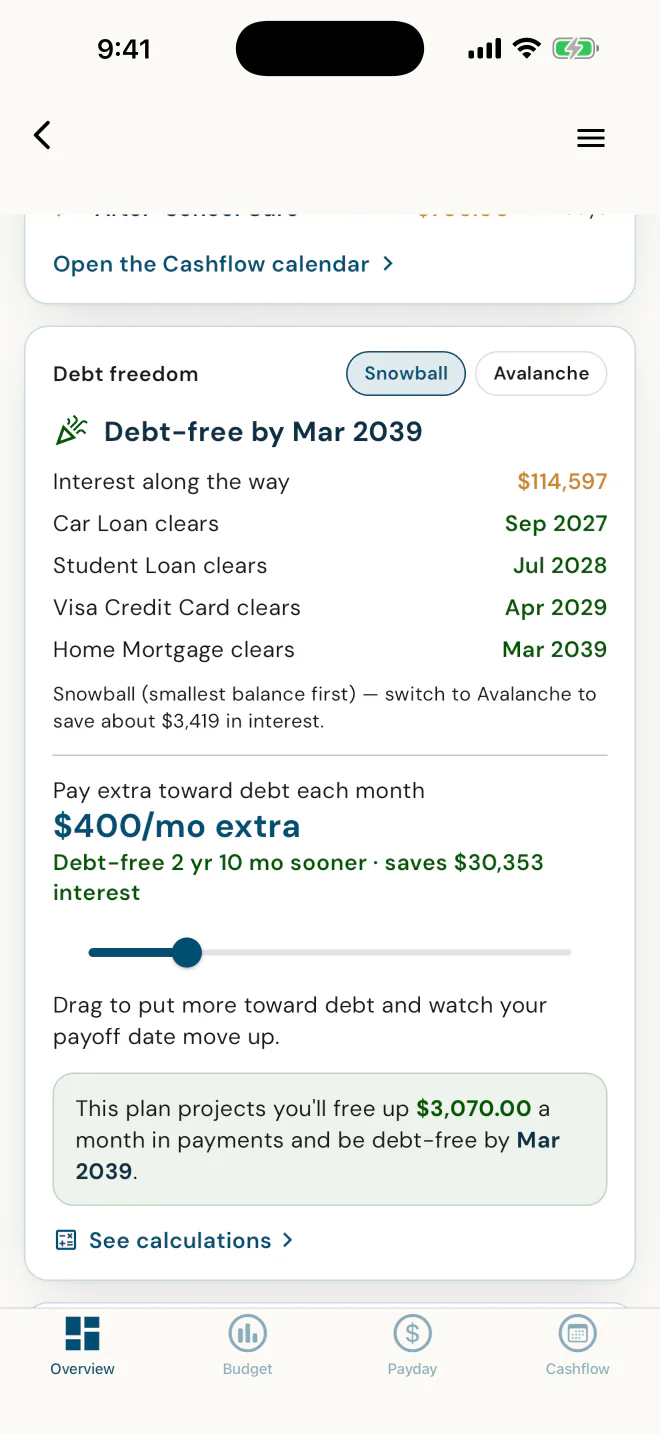
Snowball or Avalanche, and what switching saves. For Alex, Avalanche would save about $1,759 in interest.
"I believe in the Snowball method, because if we were already making the right math decisions, we wouldn't have debt." · Dawn Ewing, Advisor, DFSIN
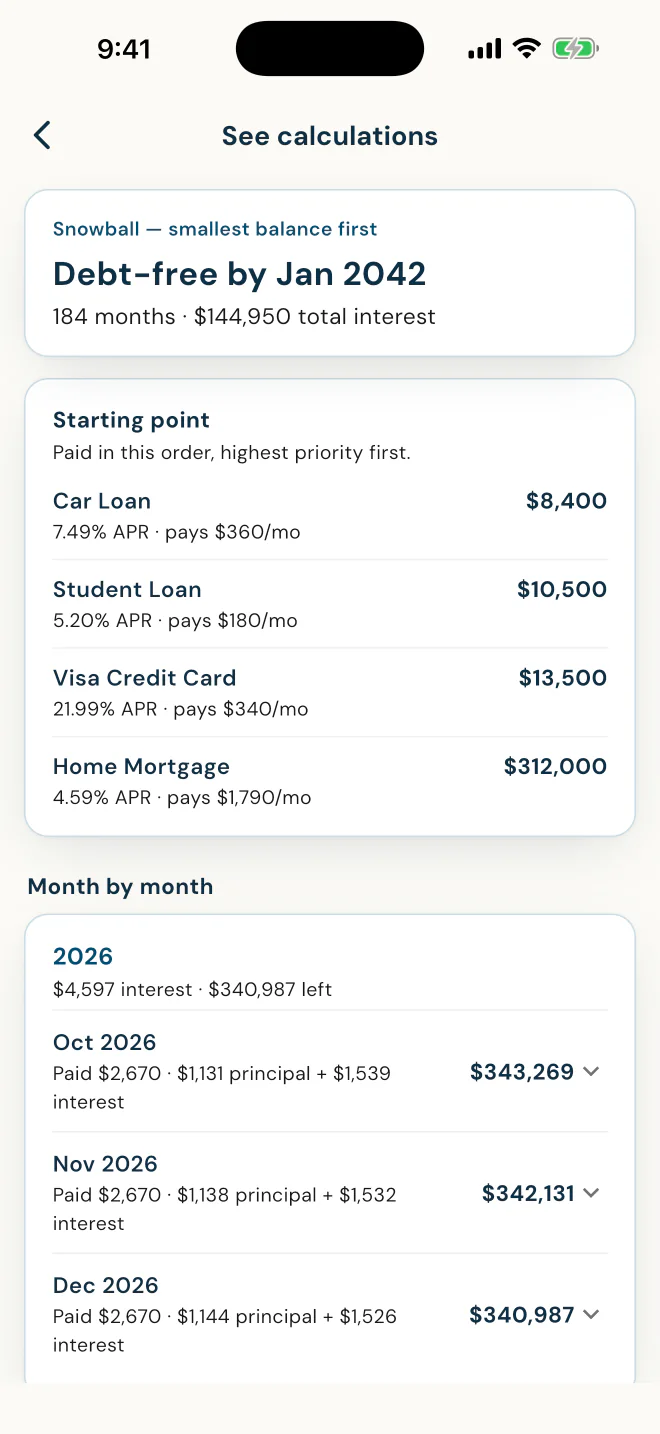
The math, month by month.
Every payment split into principal and interest, so the plan can be checked, not just trusted.
Drag the slider, see the new date.
In Alex's plan, $400 a month more moves debt-free from Jan 2042 to Mar 2039. They see what extra buys before a dollar moves.
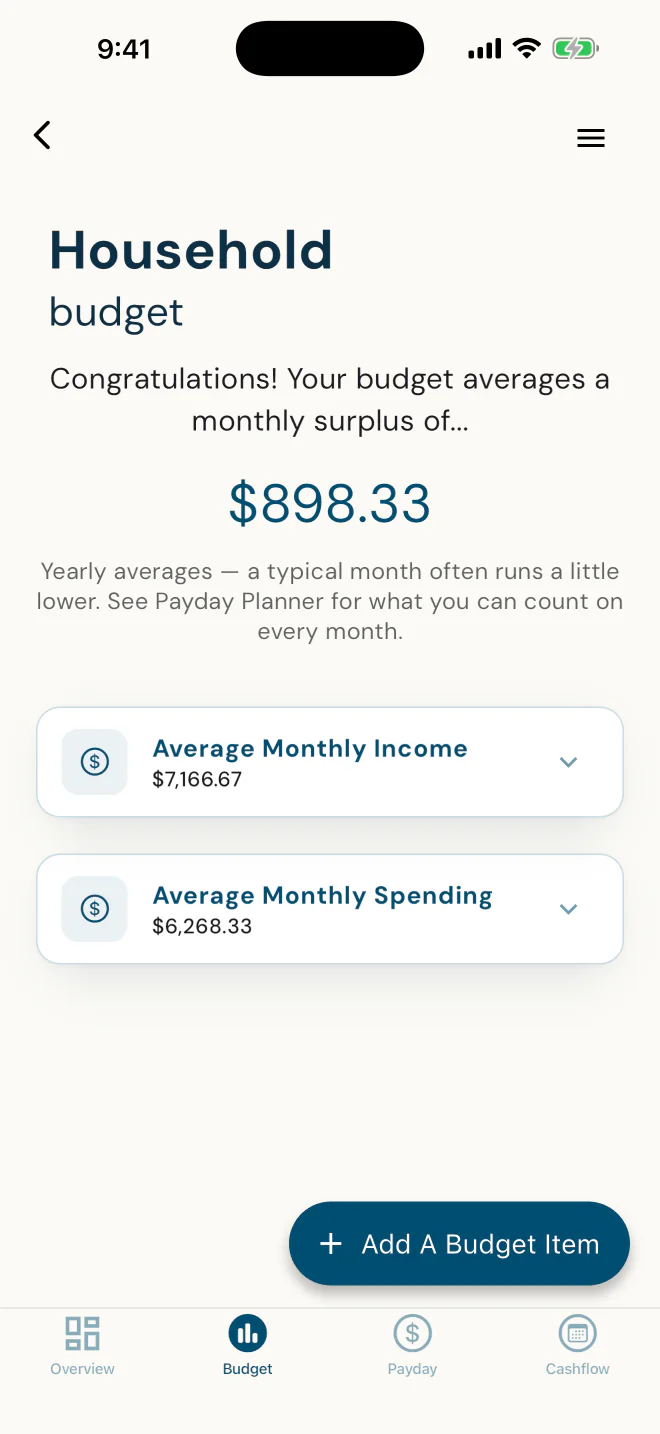
Money in, money out, and what's left.
Averaged across the year, so a yearly bill or a three-paycheque month is spread evenly. For what they can count on every month, the Payday Planner is one tap over.
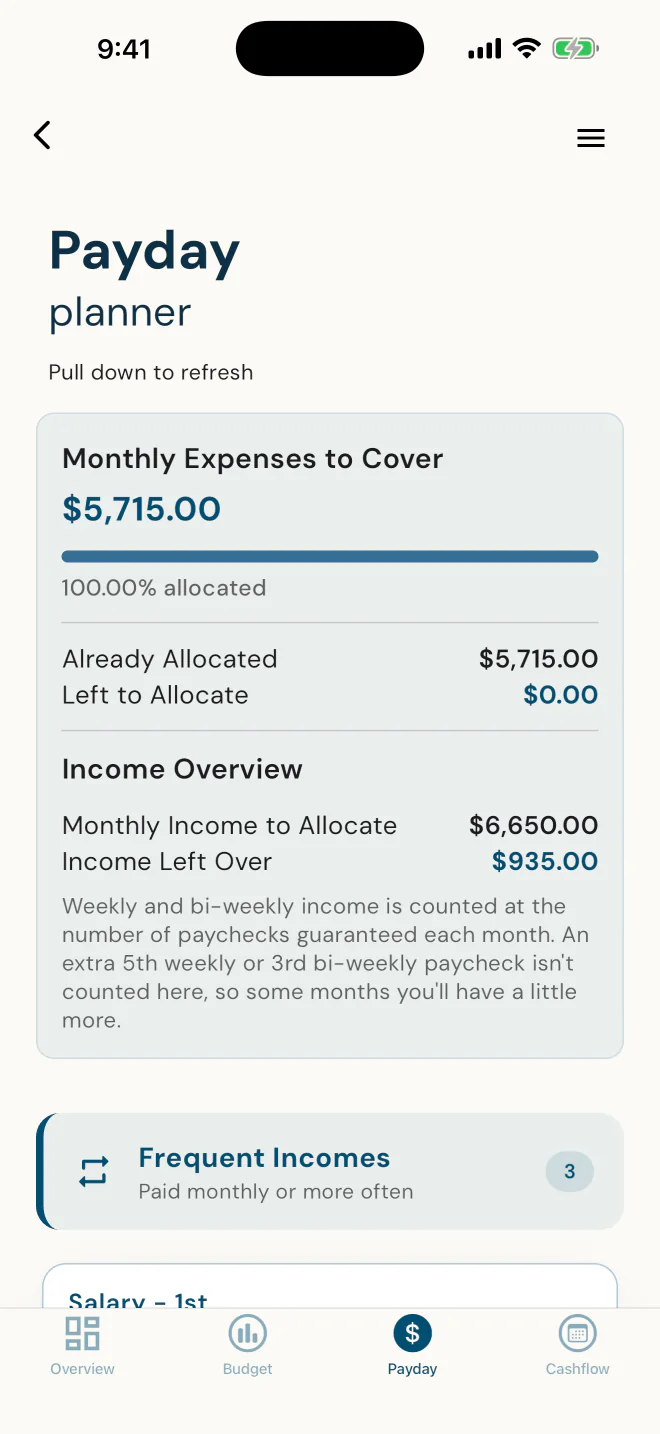
Every expense gets a payday.
Each bill matched to the paycheque that covers it, down to the dollar. Clients switch it on themselves.
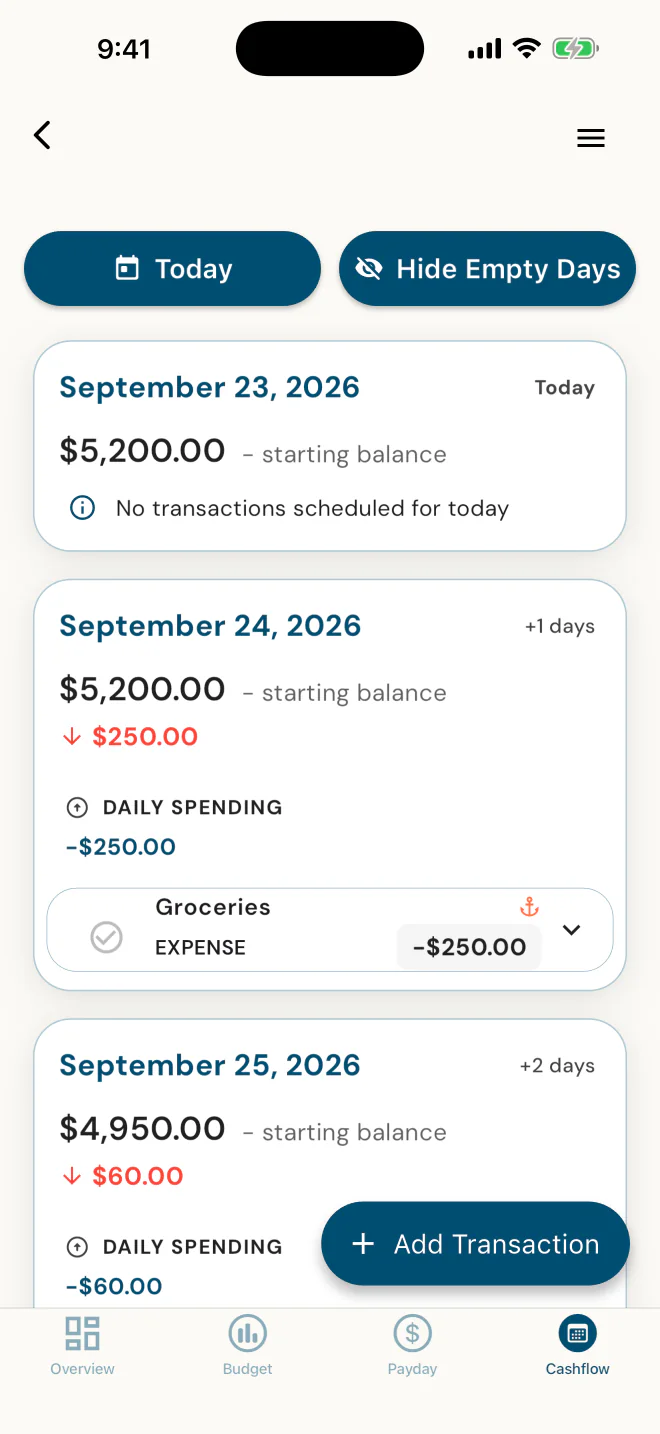
Every bill and deposit, on a date.
They start from today's balance, put each bill and deposit on its date, and confirm each one as it happens, so the calendar matches real life. Clients switch it on themselves.
Now see what Alex's numbers look like from your side.
Real app screens. Demo household.
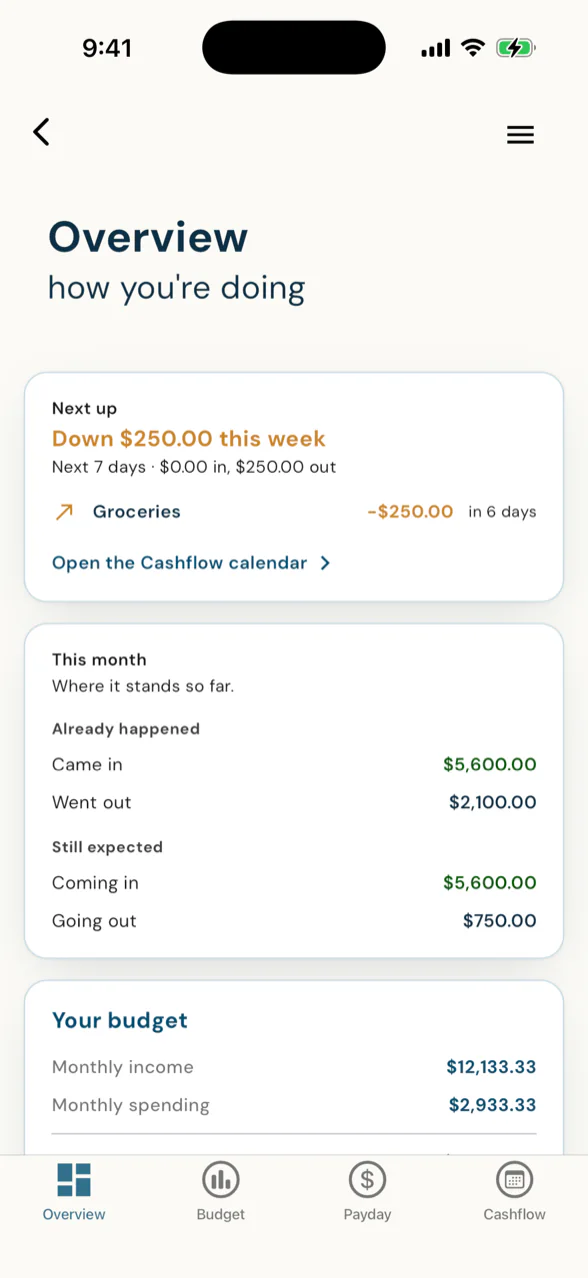
Am I going to be okay?
Safe-to-spend, a 12-month runway projected from their own scheduled income and bills, and a debt-free date - the whole picture on one screen.
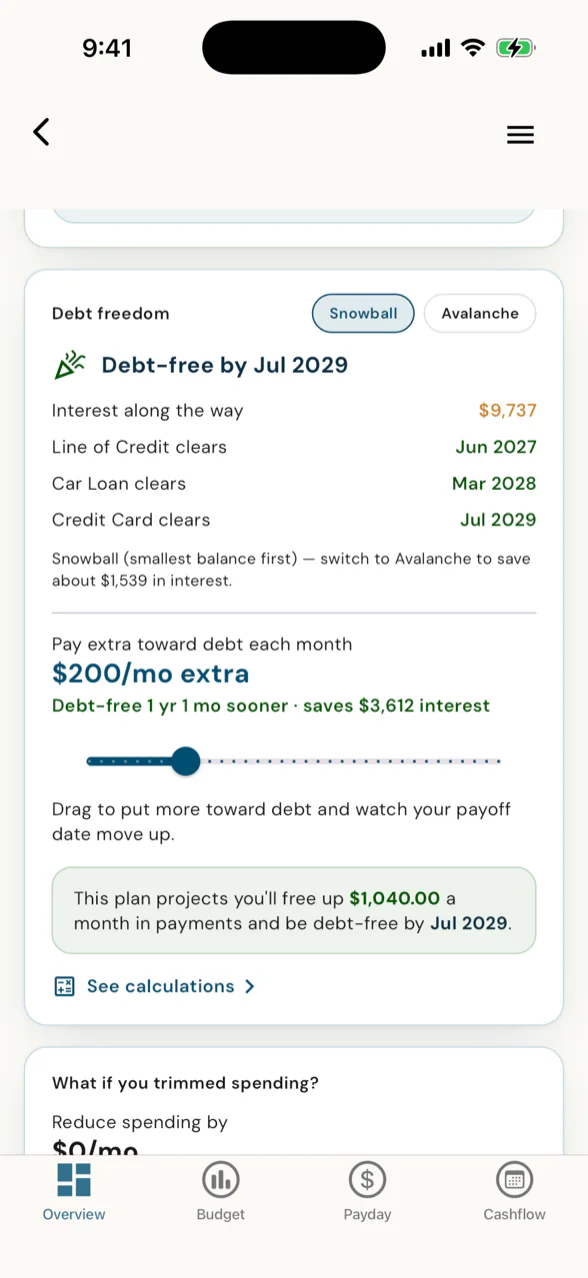
A debt-free date they move with their thumb
Snowball or Avalanche, plus a slider that pulls the payoff date closer the more they put toward debt.
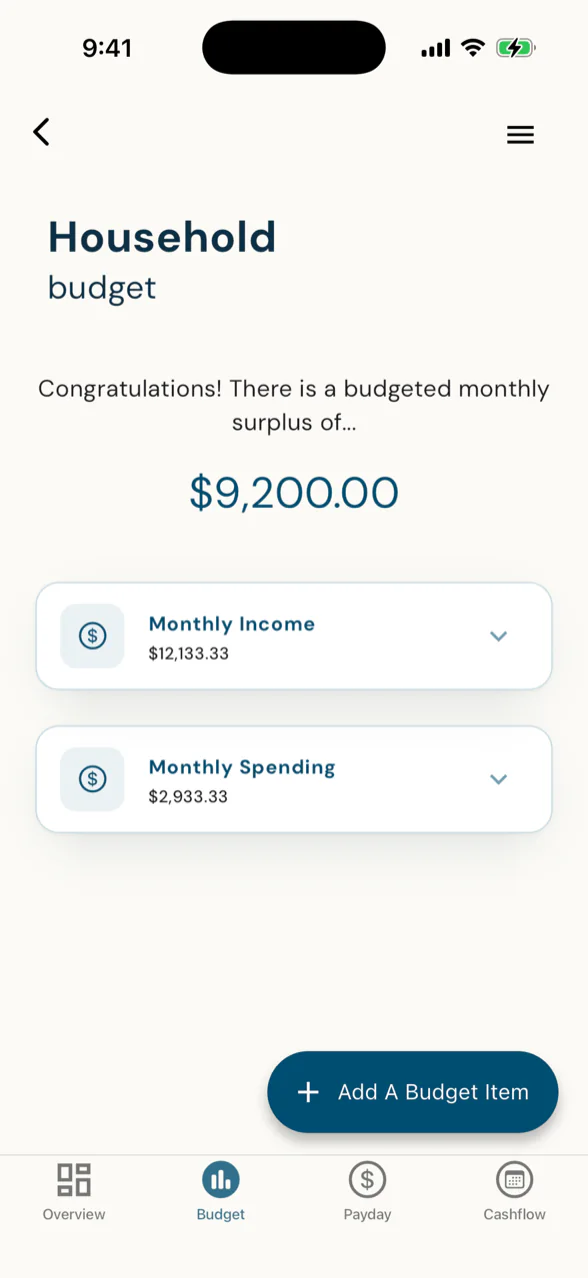
Where the money actually goes
Income and spending by category, with the monthly surplus or shortfall right at the top.
"You've got to hold each other accountable for this. So when one gets tired, the other one steps in." · Dawn Ewing, to a couple setting up their household budget together
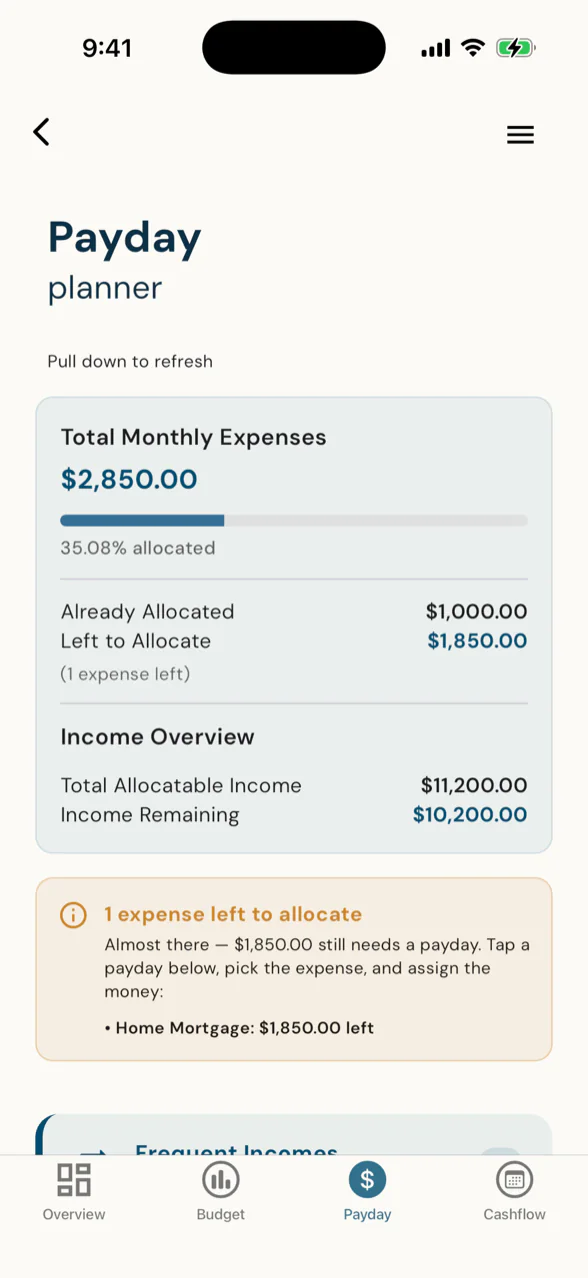
Every dollar has a job by payday
Assign each paycheque the moment it lands. A progress bar shows what's allocated and what's left.
"Mine says 100%. She's already allocated - left to allocate $0.00." · Dawn Ewing, looking at a client's Payday Planner
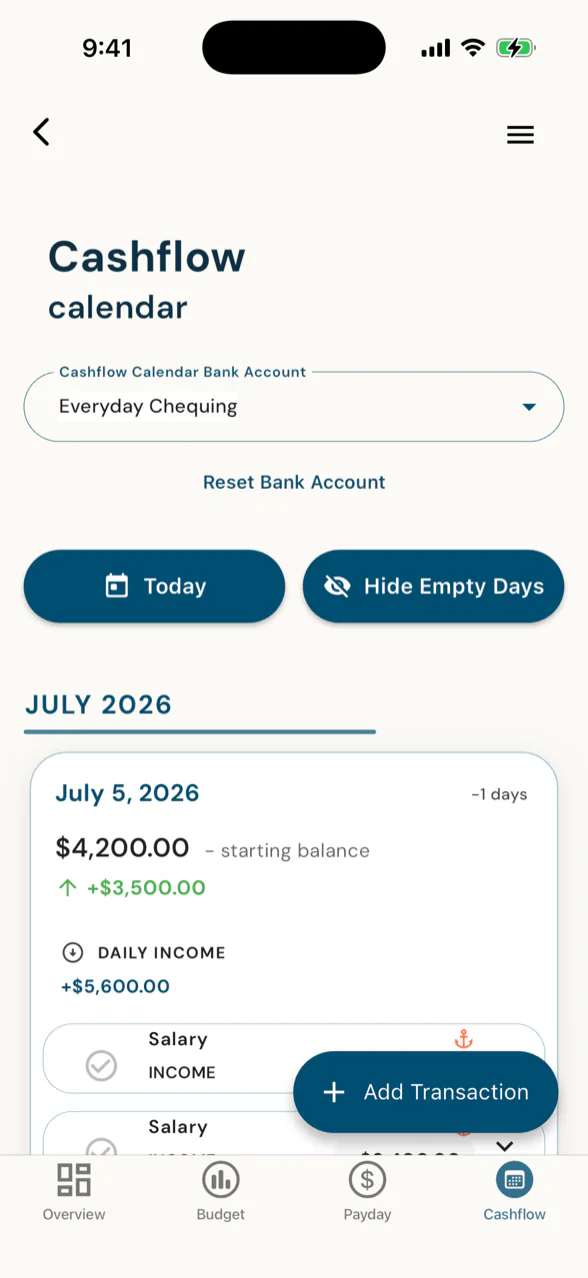
See the squeeze before it happens
Income and bills on one day-by-day calendar, so the tight week in March is obvious in January.
See it coming. Then move it.
Every client carries two quiet questions: when do I get tight, and when am I free? These two screens answer both - a date, a dollar figure, and a dial they turn themselves. Not a snapshot of where the money sits, but a look at where it's headed. And because they're the ones moving it, the numbers your plan runs on stay current because they keep them current.
"When you see your savings growing and that you're getting closer to your goals, you'd want to save more. That's just the way that it is, 'cause you feel better." · Dawn Ewing, Advisor, DFSIN, on why clients keep their numbers in view
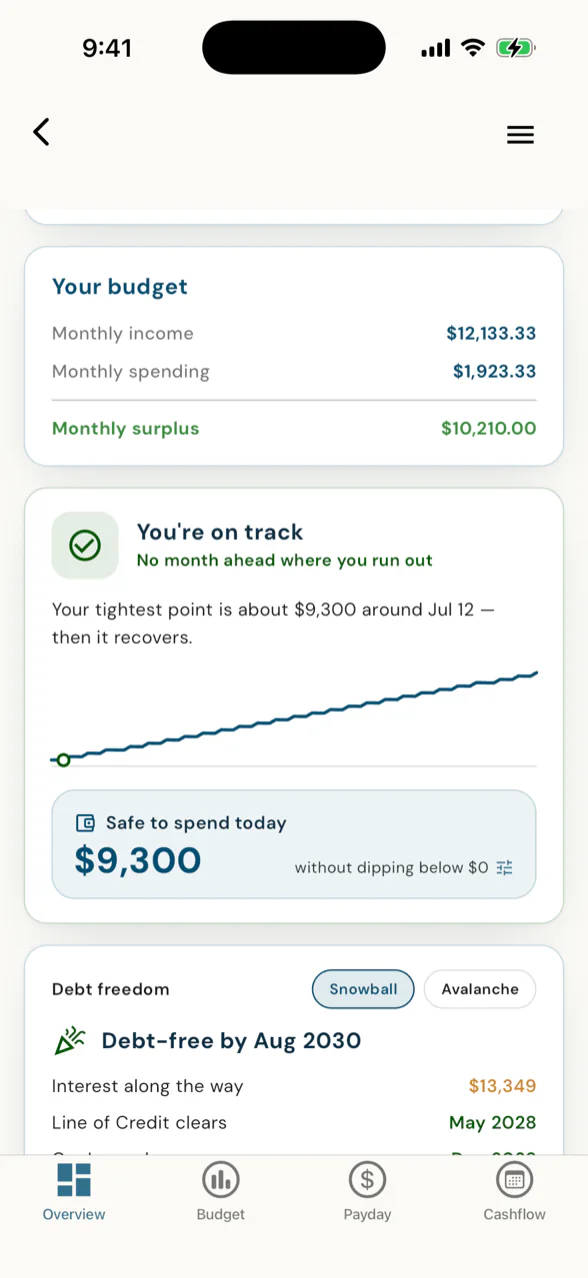
See the tight week before it arrives.
Runway starts from the balance a client enters for the account they pay from, then plays their scheduled income and bills forward a full year - so the tightest week ahead is circled before it lands, while there's still time to do something about it. Your client isn't reading a static budget. They're watching their own plan play forward.
- Projected balances, day by day. Built from the balance they entered and the income and bills they scheduled - not a static budget.
- A cushion line they set. And a "safe to spend today" number that stays above it.
- Plain-English foresight. "Your tightest point is about $9,300 - then it recovers." The exact week, a year ahead.
- Every visit keeps your plan current. The numbers your plan runs on are current because your client keeps them current - today, not last quarter.
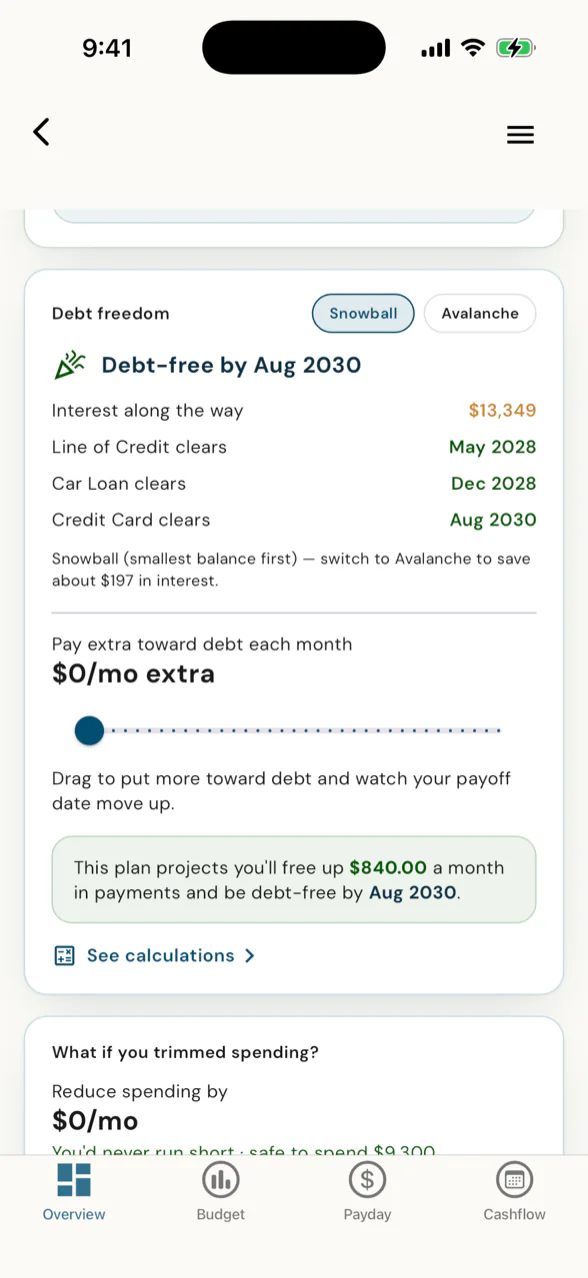
Pull the debt-free date closer.
Drag one slider and the finish line slides with it - an earlier month, less interest, right there on the card. Snowball for quick wins, Avalanche for the least interest - toggle between them and the math recomputes on the spot. Debt Freedom turns "someday" into a date you can pull closer with your thumb.
- Snowball or Avalanche. Quick wins, or the least interest - toggle and compare the payoff in a tap.
- Slide a little extra toward debt. For example, add $200 a month and the debt-free date jumps 13 months closer.
- The money comes back, dated. The card names the monthly cashflow that frees up the day the last debt clears - dollars back in the budget.
- Open the month-by-month schedule. As each debt clears, its payment rolls onto the next - so every payoff after it speeds up.
"Oh, that's what I was looking for. That's what I was asking about." · Dawn Ewing, opening the month-by-month schedule for the first time
A finish line the client can move themselves - and every time they do, the numbers your plan runs on stay current.
Their Cashflow Calendar is built from the balance they enter and the bills and paydays they schedule: every day ahead, on a date. They confirm each one as it happens.
That's the quiet trick underneath all five: your client is the one moving these numbers, so the file you plan from is current because they keep it current. Not a nicer portal - a client app that also does your data entry for you.
"I've known how to spell their names and have everything in our financial needs analysis before our second meeting, which was super helpful." · Dawn Ewing, Advisor, DFSIN, on her first invited client
Your clients don't pay for the app.
PlanTogether bills you, not them. If you decide to charge a client for budget access, you set that up with them yourself, outside the app. Name one price, or a different number for every client at your table.
The budgeting apps your clients might pick up on their own don't feed the plan your client is building with you. This one lives inside it. Every number the client keeps current in the budgeting app is a number your plan already has. Not another budgeting app: the connected one.
That's reason one. Reason two is compliance that keeps itself - on every file, and on every life sale.
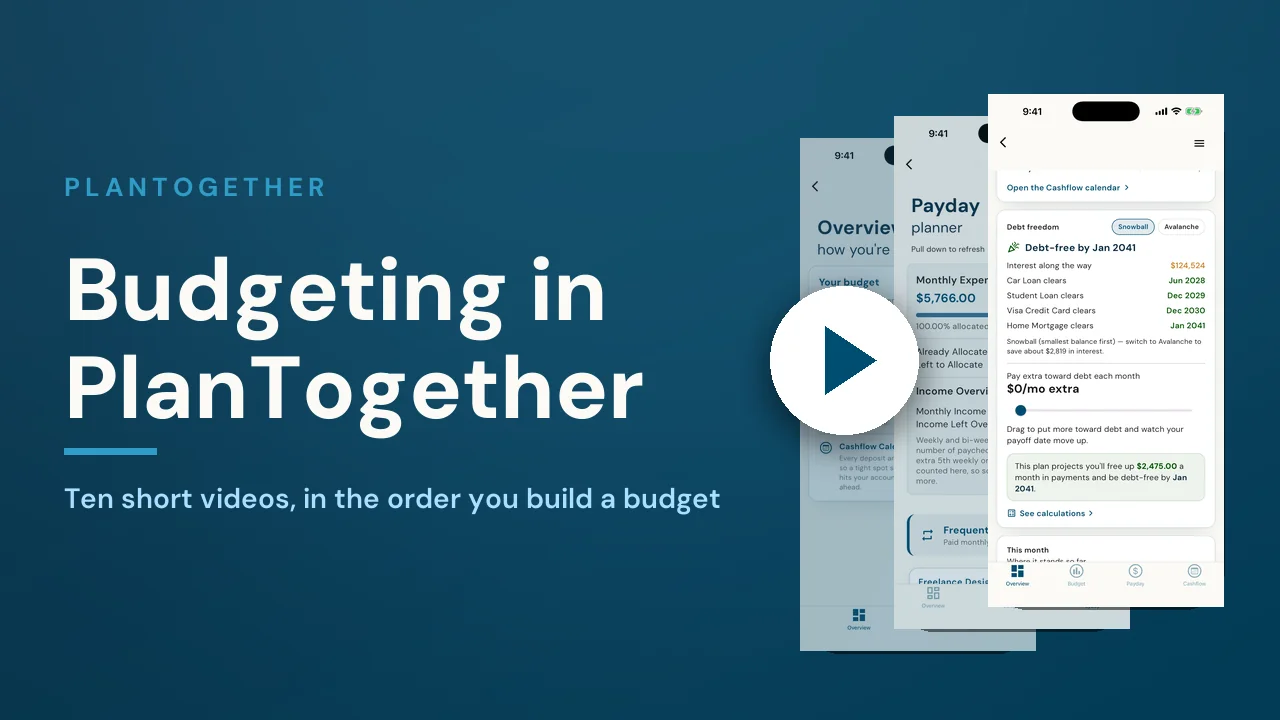
Ten short videos, one budget.
Send new clients here and they learn the app from start to finish in about 22 minutes, one short video at a time.
- 1Where your budget livesWhere to find the budget, and what the Overview and Budget tabs are each for.1:29
- 2Add your incomeEvery source of income, and why how often it lands matters more than the amount.1:23
- 3Add your expensesAdding expenses: categories, how often each is paid, editing and deleting.1:55
- 4Debts, housing and savingsWhy debts, housing and savings each have their own door, and what each one unlocks.2:46
- 5Reading your budgetSurplus and shortfall, the income and spending breakdowns, and what yearly averages mean.1:41
- 6Payday PlannerGive every expense a payday, so you know before the money lands whether it is covered.2:40
- 7Cashflow Calendar setupChoose the account you pay from, enter today's balance, and put every bill and deposit on a date.2:20
- 8Running your monthConfirming, rescheduling, splitting and skipping entries so the calendar matches real life.2:45
- 9Runway and safe to spendThe runway, Safe to spend and the safety cushion: what you can spend today without a problem next week.2:05
- 10Debt FreedomYour debt-free date: how Snowball and Avalanche differ, and what an extra payment buys you.2:35
The client tools, explained.
What is the Safe-to-Spend number?
Safe-to-Spend is the amount a client can spend today - the answer to "am I going to be okay?" It comes off the 12-month runway, projected from the balance the client entered and the income and bills they have scheduled, and it stays above the cushion line the client sets. So it isn't a static budget figure - it's today's headroom against the whole year ahead.
How does the 12-month cashflow runway work?
Runway starts from the balance a client enters for the account they pay from, then plays their scheduled income and bills forward a full year, day by day - not a static budget. The tightest week ahead is circled before it lands, in plain English: "Your tightest point is about $9,300 - then it recovers." That leaves time to do something about it.
How does Debt Freedom work?
Debt Freedom turns "someday" into a date. A client picks Snowball or Avalanche, then drags the extra-payment slider and the debt-free date moves with it - an extra $200 a month, for example, pulls it 13 months closer. A month-by-month schedule shows each payment rolling onto the next debt as it clears, and the card names the monthly cashflow that comes back when the last one does.
What are Payday Planner and Cashflow Calendar?
Payday Planner and Cashflow Calendar are two optional tools clients switch on themselves. Payday Planner lets a client assign each paycheque the moment it lands, with a progress bar showing what's allocated and what's left. Cashflow Calendar puts income and bills on one day-by-day calendar, so the tight week in March is obvious in January. With Budget, Debt Freedom and At-a-glance, they complete the five client tools.
Do a client's changes update the shared plan?
Yes. The client is the one moving the numbers, so the plan their advisor built is current because the client keeps it current. That's the quiet trick underneath all five tools: not a nicer portal, but a budgeting app that also does the advisor's data entry, so the numbers the plan runs on are the ones the client entered and maintains.
Invite one client. Watch the setup happen without you.
Four fields to invite; your client enters their household, goals and budget in about five minutes each. Your first 5 clients are on us, no credit card.