These three forms are what Client-Level Compliance already maintains on every file - and a life sale can't start until they're signed.
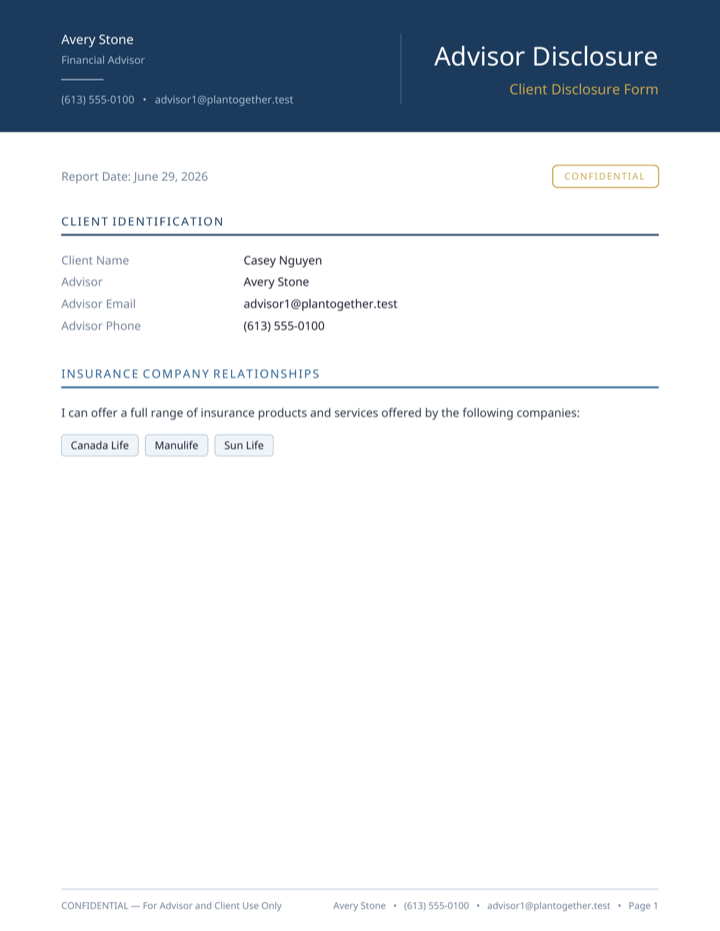
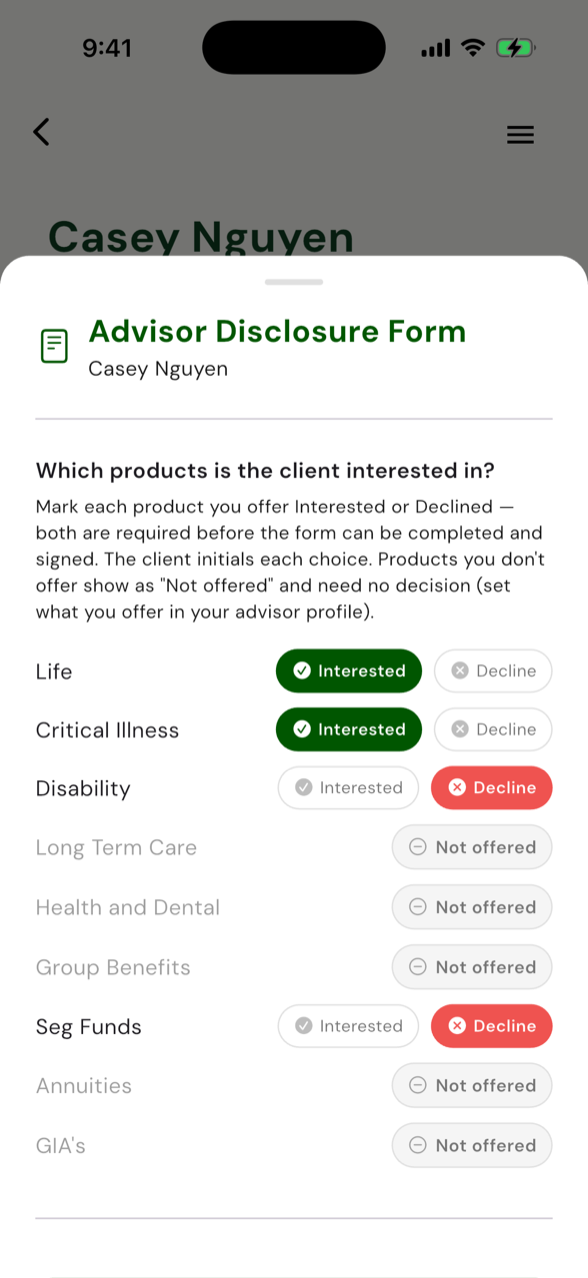
Who you are, what you charge
Your licence, carriers and compensation - plus the products you offer, with the ones you don't marked "Not offered."
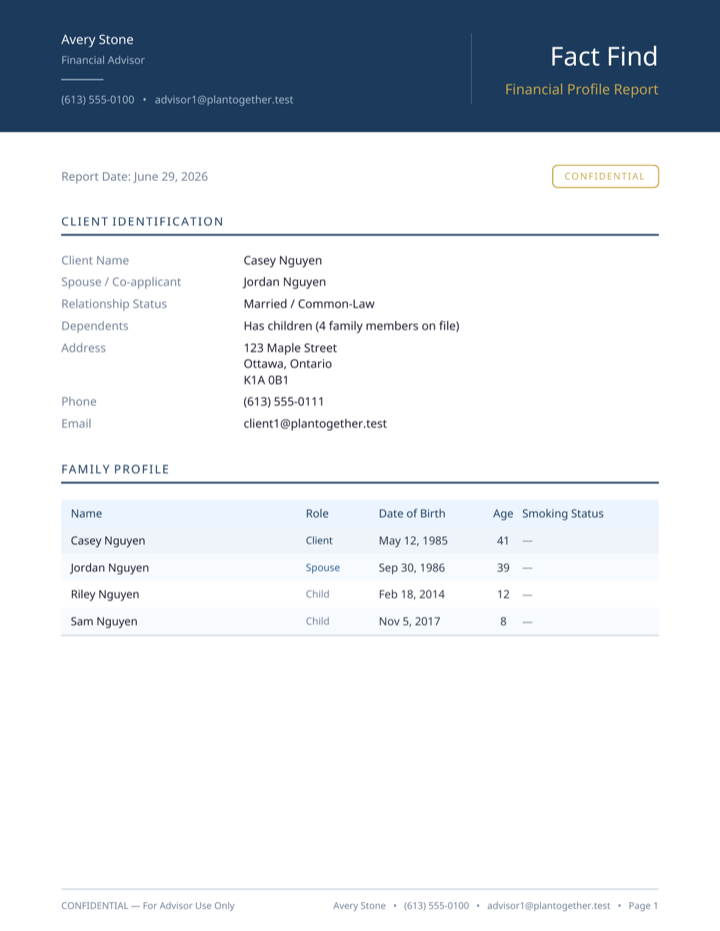
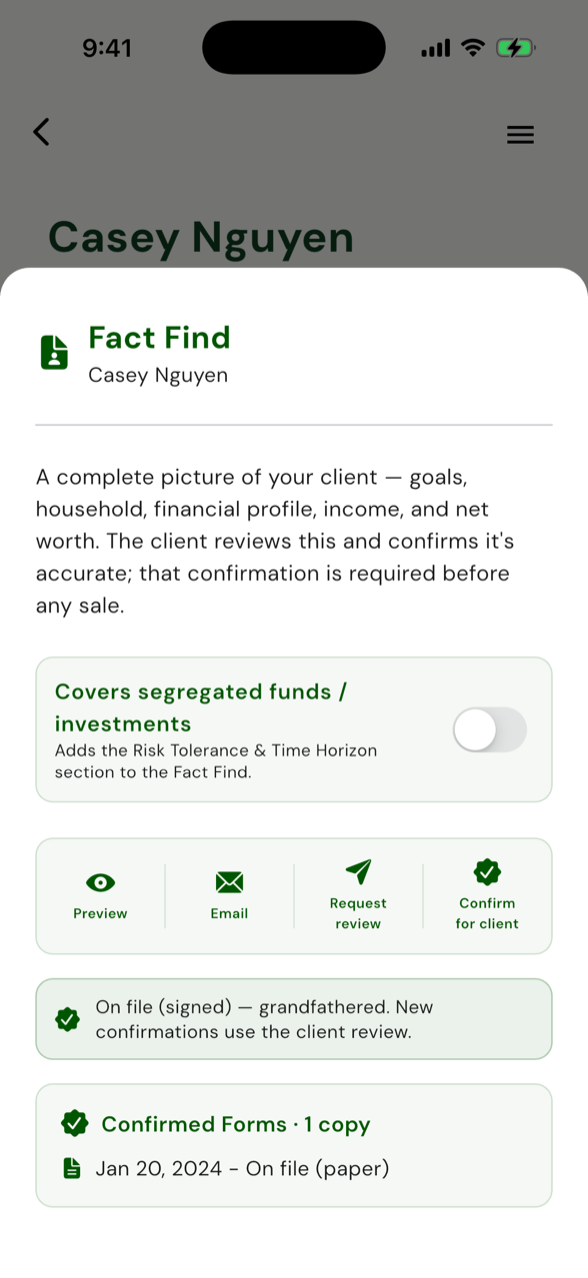
The full client picture
Goals, household, income, debts and net worth - generated from the data on file and confirmed before any sale.
Their data, handled right
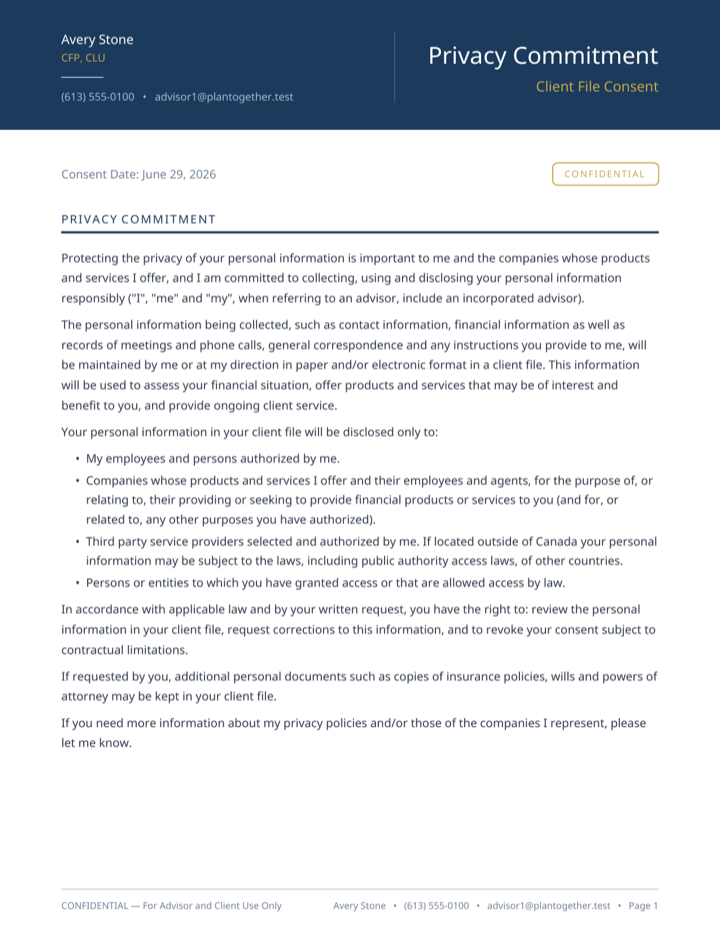
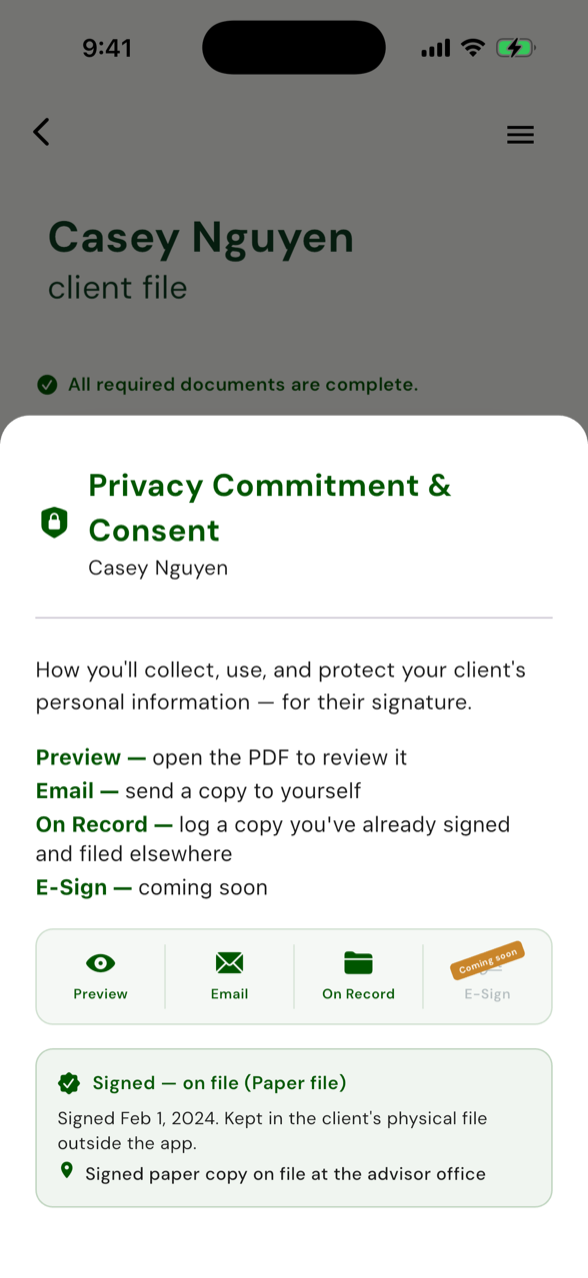
How you collect, use and protect their information - preview, get it signed, record the signed copy on file.
The numbers wait for you.
Your client answers questions they already know, or you do it for them: under 10 minutes, using what they already entered in their budget.
You check every number first. You approve the analysis and your client can view their numbers.
The app won't let you do it wrong.
A life sale can't start until the client-level foundation forms are signed. From there, a compliant life sale is four documents in a fixed order, with numbers that have to reconcile and dates that have to line up. Stop hand-assembling that across Word docs and PDFs and praying it adds up - run your next sale through PlanTogether and the right document shows up at the right step, in the right order. The file that comes out the other end is the one an auditor actually wants to see.
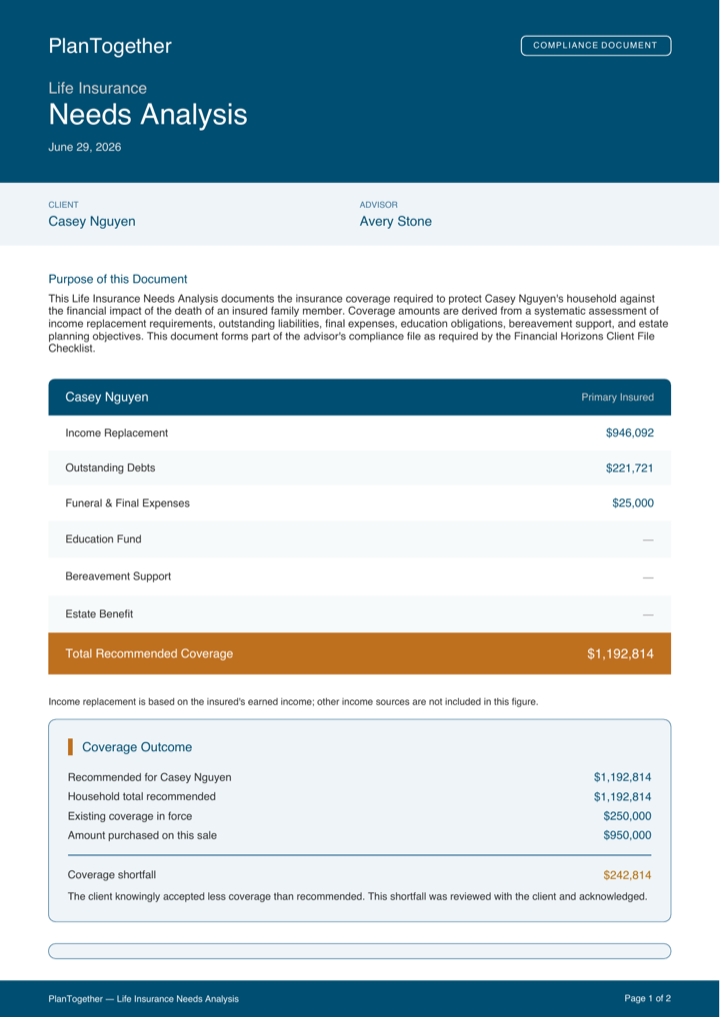
A needs analysis whose numbers reconcile.
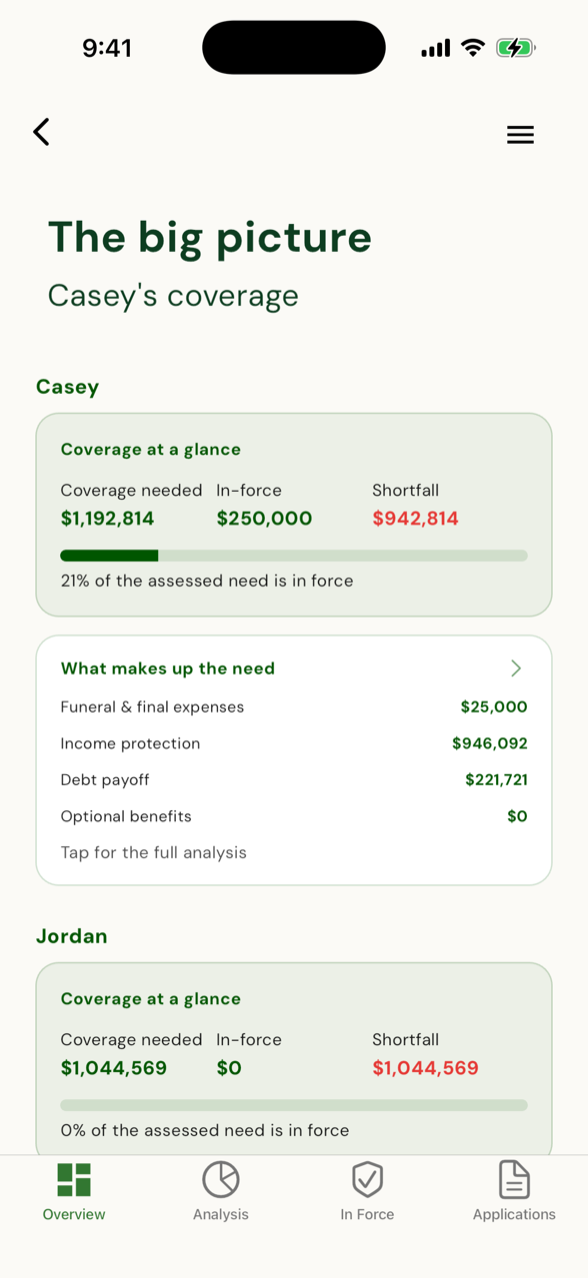
Need, in-force, shortfall - at a glance
Total assessed need, what's already in force, and the gap between them on one screen with a progress bar. The number a client actually understands - and the first thing an auditor opens.
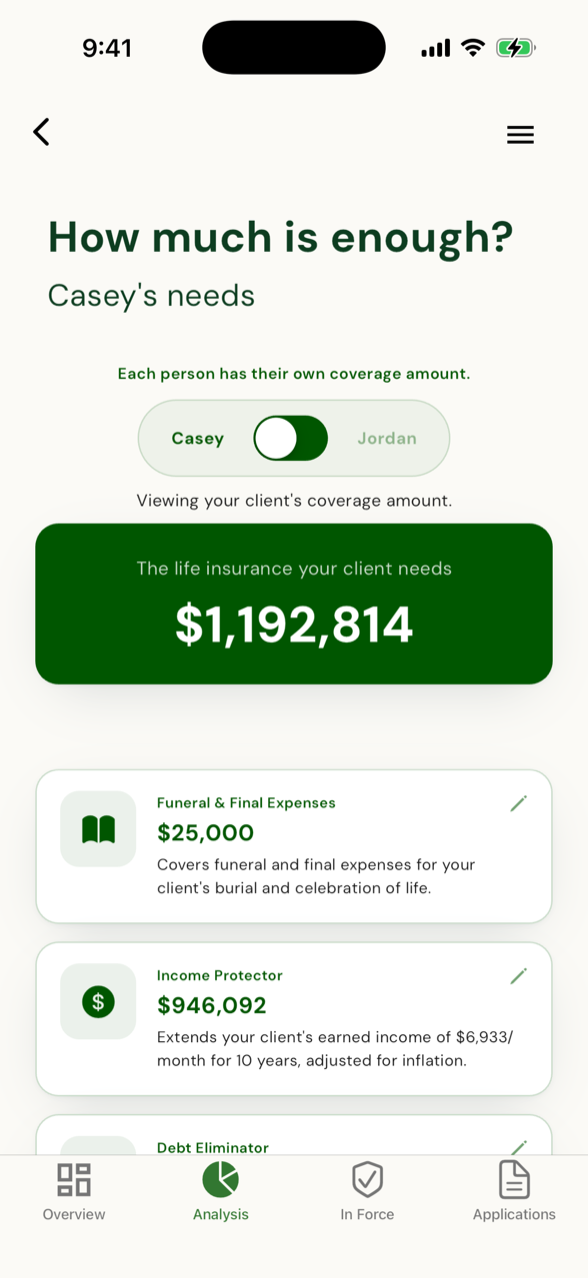
Numbers that actually sum
Final expense, income replacement, mortgage, debts, riders - the breakdown that reconciles to the total. Auditors' number-one finding is needs-analysis math that doesn't add up to the coverage bought. This one reconciles by design.
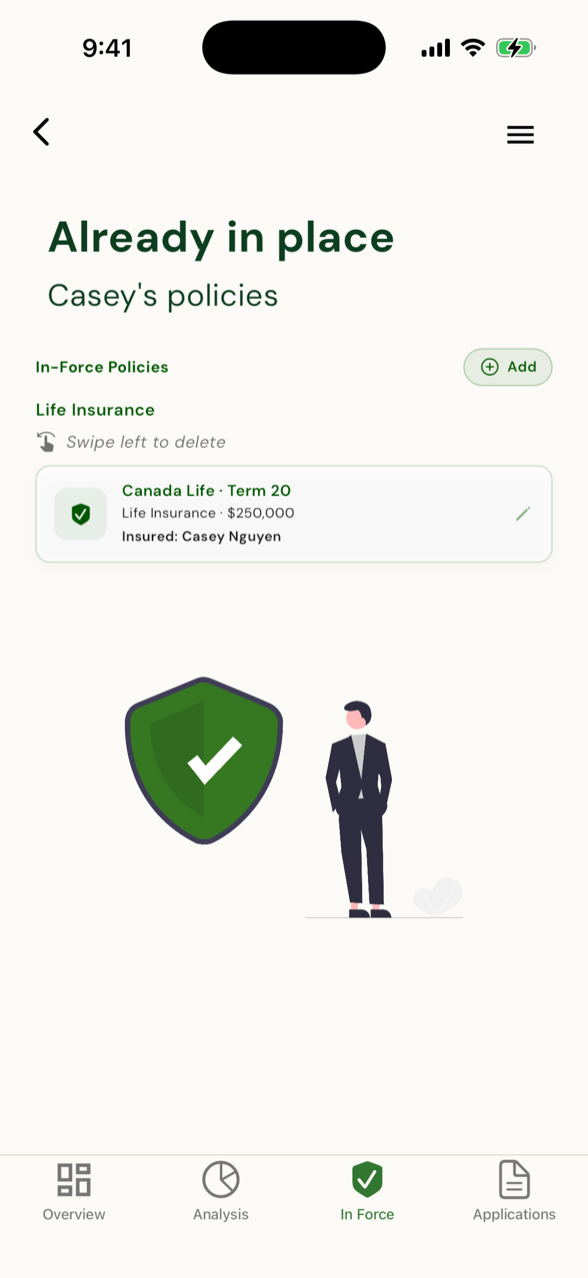
Every existing policy, counted
The client's current policies, pulled into the math instead of guessed at - so the shortfall you're recommending against is the real one, not an estimate.
Each one generated for you - never typed twice.
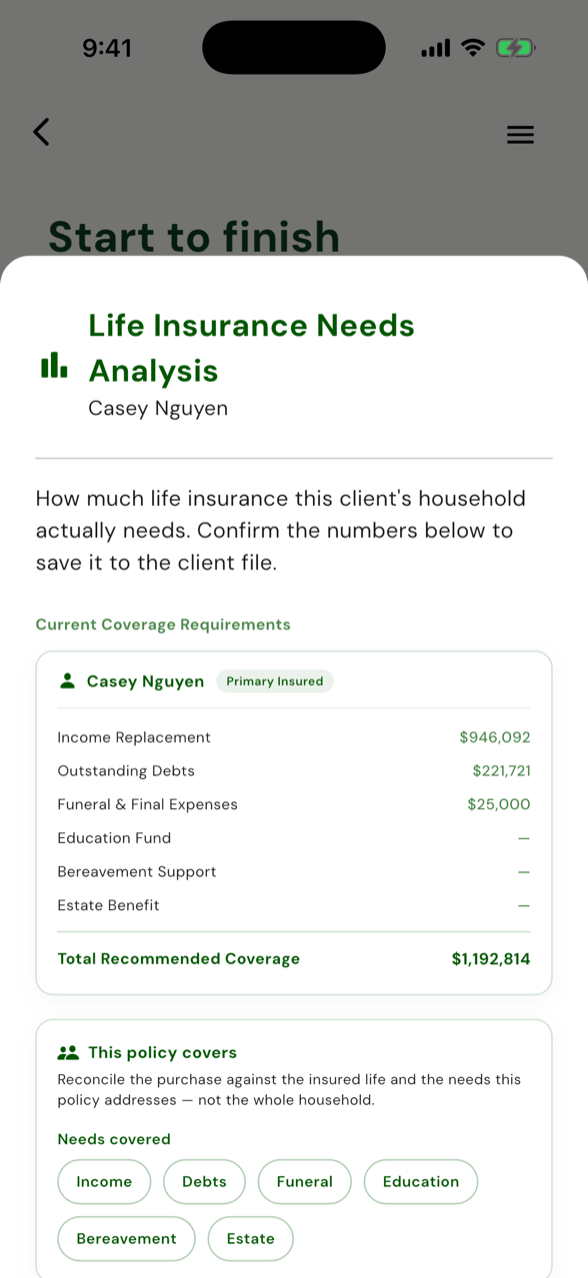
The math that has to reconcile
Quantifies the need per insured life, records what's already in force and what they actually bought - and if they buy less than you recommend, it makes you acknowledge the shortfall before the application can be submitted. The #1 audit finding, closed before it can happen.
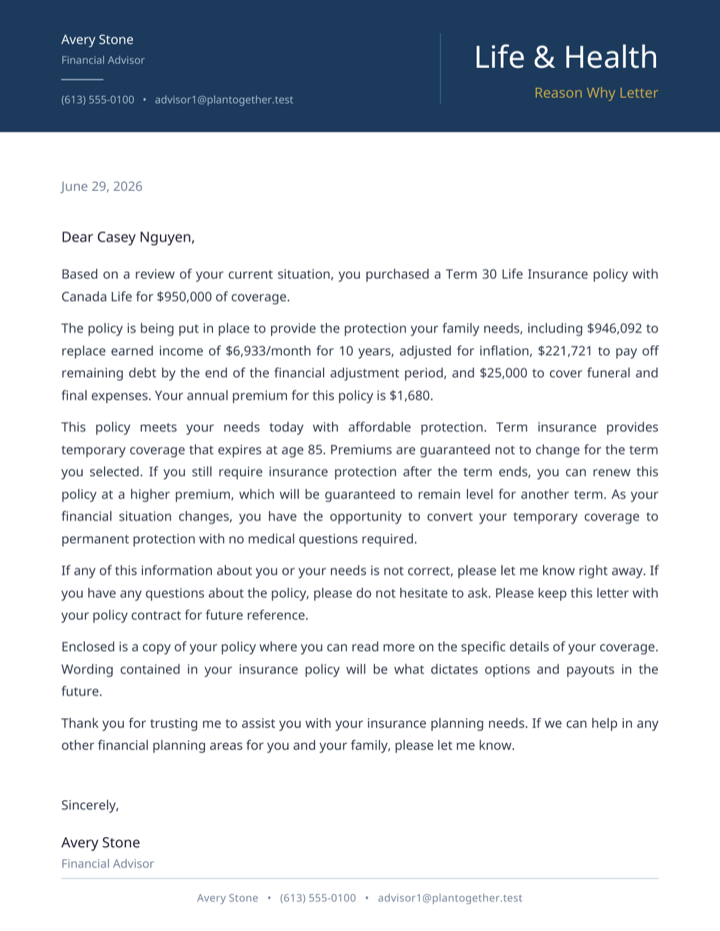
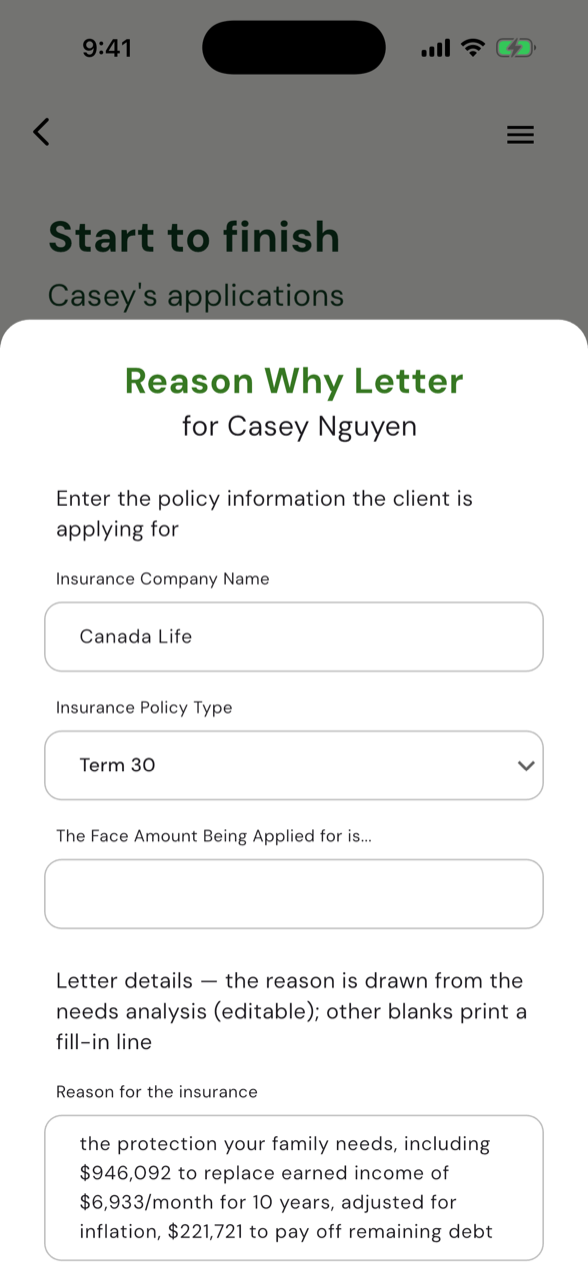
Explained, delivered, dated
New business gets a plain-language write-up of why you recommended what you did - delivered to the client with a dated proof of delivery. Delivered, not signed, exactly how the rule reads. No more digging for proof you sent it.
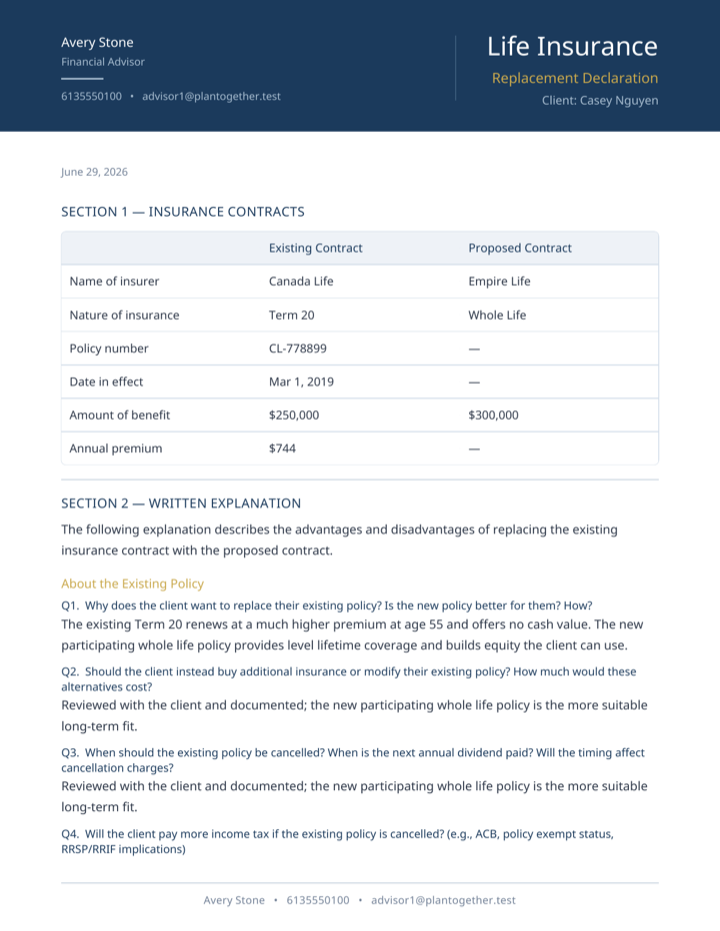
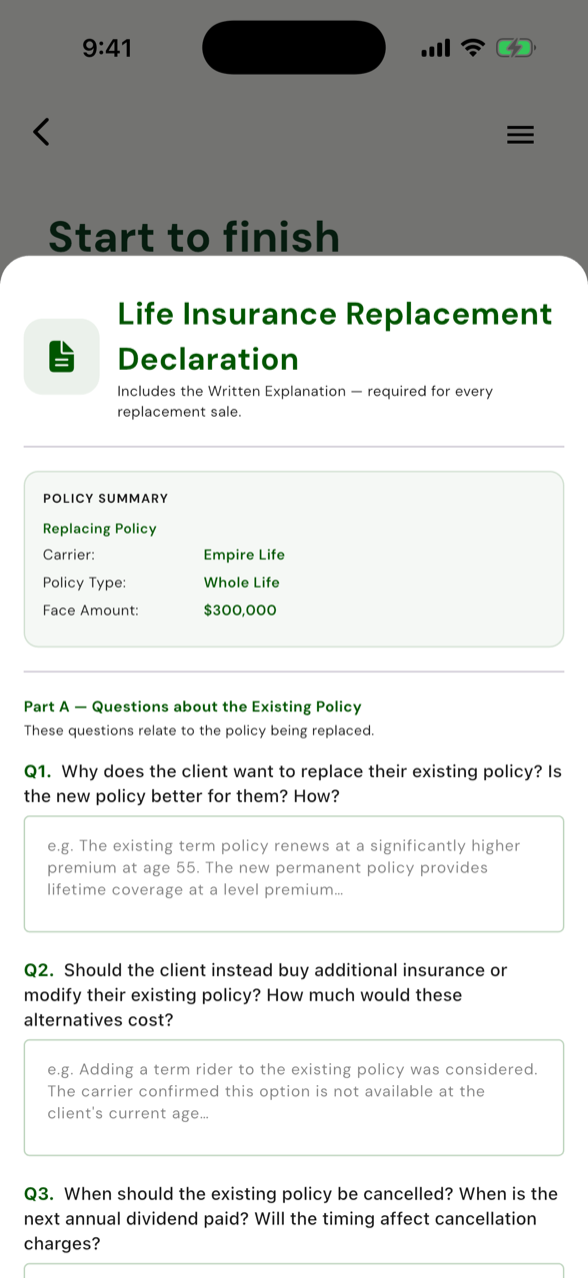
One toggle forks the whole path
Flag a replacement at sale-start and the sale reshapes: the Life Insurance Replacement Declaration snapshots the policy being replaced and gets signed before the application - standing in for the Reason-Why. Pick new business or replacement once, and you do the right document, never both.
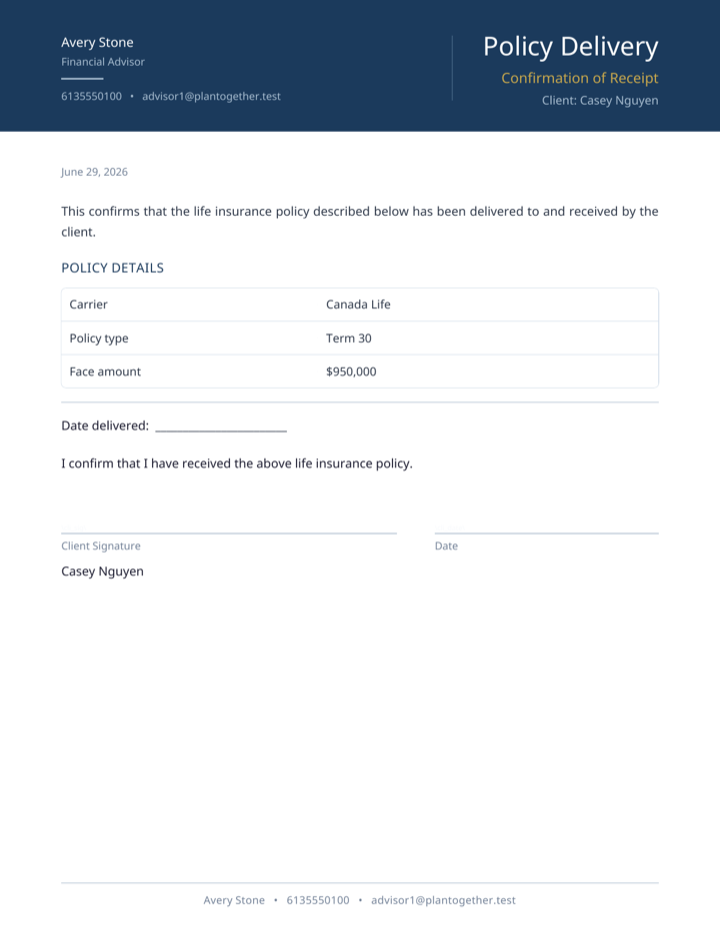
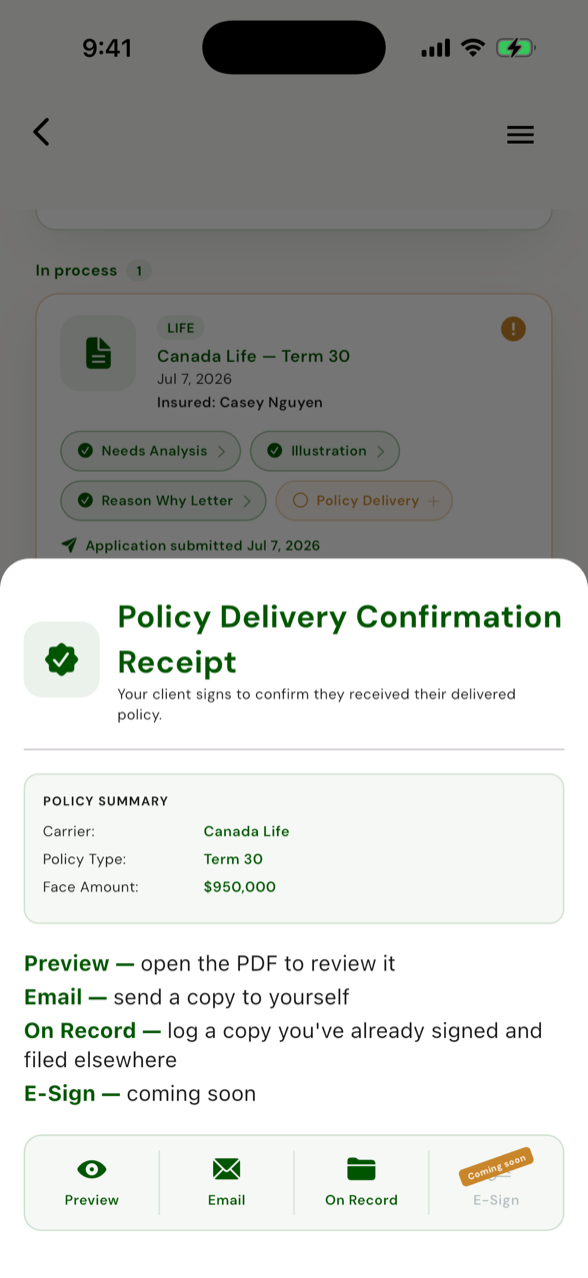
The client signs, the file seals
The client signs to confirm they received the policy. That signature seals the whole file: snapshots frozen, an in-force policy minted, nothing editable afterward. Tamper-evident, the way a finished file should be.
A locked sequence - and the file proves the order was followed.
A sale won't start until disclosure, privacy, and the fact find are signed. The needs analysis won't confirm while a shortfall sits un-acknowledged. Policy delivery stays locked, with a plain-English reason, until the reason-why is delivered. You can't skip a step or back-date the order - and the sequence itself is part of what gets audited. Hand-assembled forms fail audits because the dates land out of order. Here, they can't.
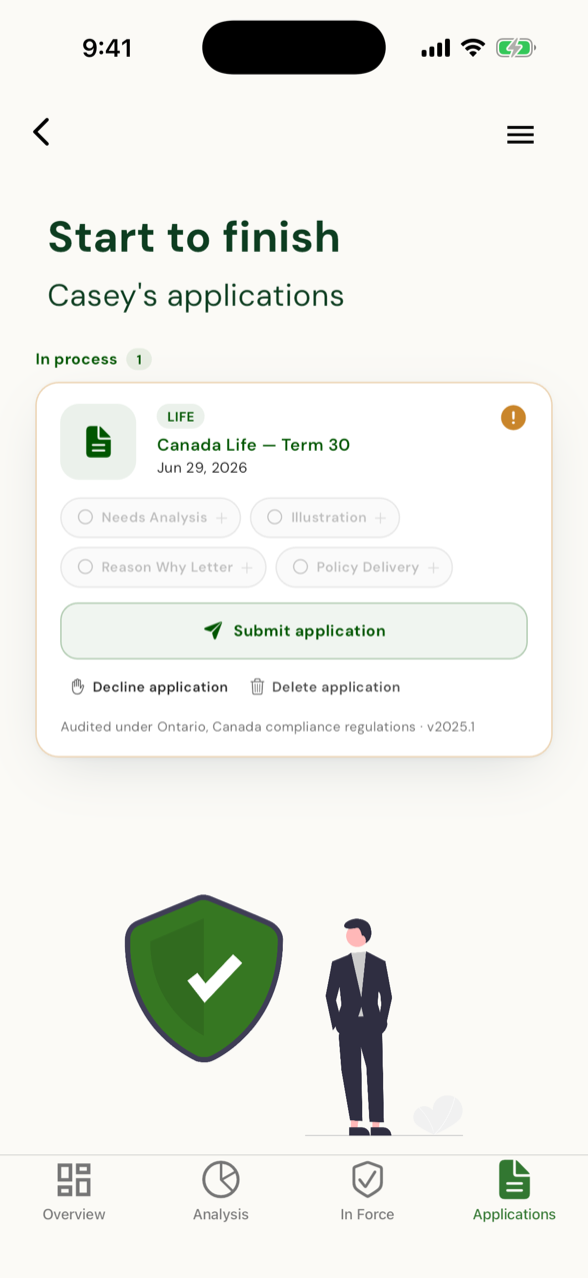
"The Reason-Why Letter must be generated and delivered before you can mark this policy delivered."
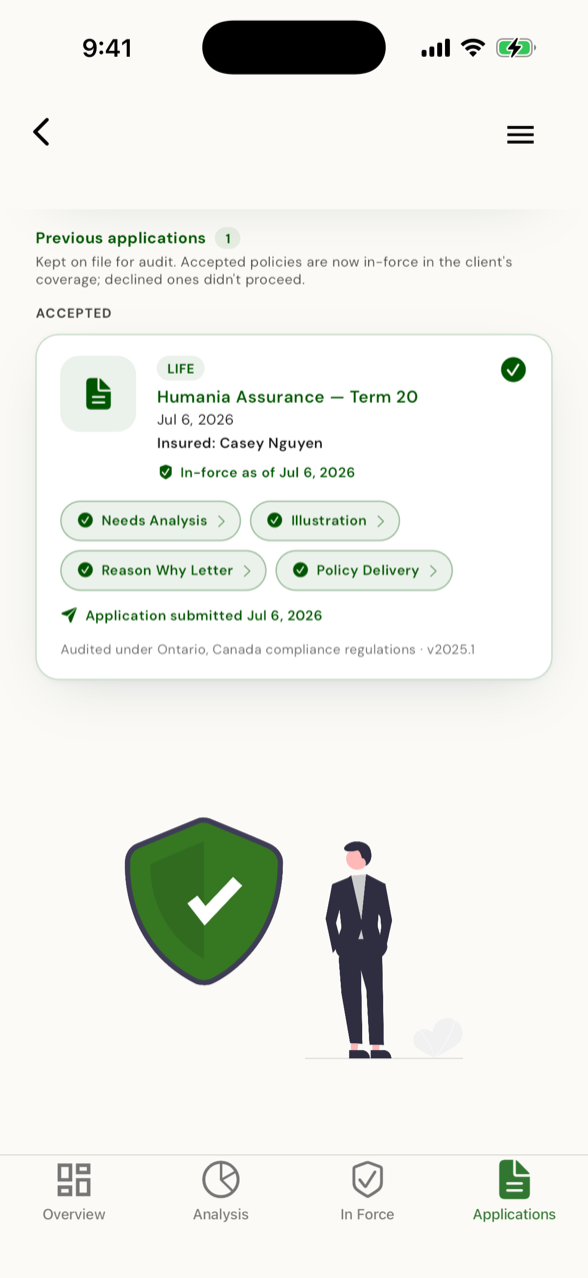
Every required document, signed and dated in the order the regulator audits.
That's the sale-level module. Client-Level Compliance - the always-on file checks - runs on every client whether they buy or not.
Life insurance compliance software in Canada: the reference
This is the reference half of the page: what life insurance compliance software covers in Canada, how PlanTogether splits the work into two named modules, which jurisdictions it handles, the documents in a compliant life-sale file, and what an auditor reads in the finished record. Every question below gets its answer in the first paragraph.
What does life insurance compliance software cover in Canada?
Life insurance compliance software in Canada covers the elements of a needs-based sale as the industry guidance describes them: advisor disclosure, fact finding, a needs assessment, a recommendation, and a written reason-why explanation delivered to the client - each documented and dated. PlanTogether splits that work into two modules: Client-Level Compliance, which watches every client file for what's missing, and Sale-Level Compliance, which runs each life sale in the sequence an auditor checks.
The frame is industry-wide, not ours. CLHIA's The Approach: Serving the Client Through Needs-Based Sales Practices sets out the supporting elements of a needs-based sale - disclosure to the client, client expectations, fact finding, needs assessment, recommendations and advice, a written reason-why explanation, and product information - and notes that the practices scale with the complexity of the transaction. CCIR and CISRO's Fair Treatment of Customers guidance sets the conduct expectations behind them for insurers and intermediaries across Canada.
The recommended product or service must be appropriate for the needs of the client as determined by a needs-based assessment done by the advisor and/or as identified by the client.
CLHIA, The Approach: Serving the Client Through Needs-Based Sales Practices, General Principle, November 2016
Compliance software's job is to make that principle checkable: capture the assessment, tie the recommendation to it, and keep the dated record of each element as it happens.
What is Client-Level Compliance?
Client-Level Compliance is the always-on module. It watches every client file for what's missing - advisor disclosure, privacy consent, fact find, needs analysis, and renewal or signature checks - and shows the gap before an auditor finds it. And a life sale can't start until the foundation forms are done.
The fact find is a living document, not a form filled once. The client reviews their own data in the app and confirms it's accurate; a material change to that data invalidates the confirmation until the client confirms again. So a complete fact find means confirmed and current - not signed three years ago.
Forms are auto-generated, signed copies stay on record, and every action carries a date. Because the module is always on, gaps surface while there's still time to close them - not during an audit.
What is Sale-Level Compliance?
Sale-Level Compliance runs per life sale. It carries the needs analysis, produces the sale documents, and gates them so they happen in the sequence an auditor checks - needs analysis before recommendation, reason-why in the client's hands by policy delivery, replacement paperwork completed with the application - with every step dated. Client-Level Compliance asks whether the file is complete; Sale-Level Compliance asks whether this sale happened in the right order.
The Reason Why Letter is where the module shows its work. PlanTogether drafts it from the completed needs analysis - the recommendation, the need it meets, and any shortfall the client acknowledged - addressed to the insured person, in the plain language CLHIA's explanatory notes ask for. The client doesn't sign it. Emailing or delivering it stores the record, date-stamps it, and archives the PDF, so the file holds dated proof the letter reached the client by the deadline CLHIA sets: no later than policy delivery.
On a replacement, the module collects the Life Insurance Replacement Declaration and its written explanation instead - or the AMF Notice of Replacement in Quebec - and that written explanation covers the reason-why requirement.
Which provinces and territories does it cover?
All of them. The compliance rules are per-jurisdiction for every Canadian province and territory - this isn't an Ontario-plus-Quebec product - and each client's paperwork follows the rules of that client's jurisdiction. Quebec gets its own handling: the needs analysis is mandatory there, and Quebec replacements use the AMF Notice of Replacement rather than the LIRD.
Quebec is where the specifics matter most, so they're worth naming. A Quebec replacement uses the AMF Notice of Replacement: one notice per replaced contract, client initials on every page, the representative's certificate number on the form, and a copy to the insurer within five working days. That's regulation, not convention - Quebec's Regulation respecting the pursuit of activities as a representative (CQLR c. D-9.2, r. 10) starts from the position that existing contracts stay in force unless replacing them is justified as serving the client's interest, and it sets the insurer-copy deadline.
The rules come from the regulators themselves. PlanTogether's compliance module is built against a corpus of 155 primary sources - statutes, regulations, regulator guidance, codes of conduct and official forms from CLHIA, CCIR/CISRO and all 13 provincial and territorial regulators - rather than from any one distributor's interpretation of them. Where a distributor's form and the regulator disagree, the regulator governs.
The rest of PlanTogether - the client budgeting app - works across Canada and the US. US advisors and clients get the full budgeting product with no compliance surfaces at all; the compliance modules are Canada-specific by design.
What documents make up a compliant life-sale file?
The file runs from advisor disclosure to a dated policy delivery receipt. Three foundation forms sit on the client file; the rest belong to the sale itself - the needs analysis first - with the replacement documents standing in for the Reason Why Letter when a sale replaces an existing contract. PlanTogether generates each document, applies the client's jurisdiction rules, keeps signed copies on record, and dates every step.
- Advisor Disclosure - who the advisor is, who they represent, and how they're paid; goes on record before any advice.
- Privacy Consent - the client's consent to collect and use their personal information; taken up front.
- Fact Find - the client's financial picture, reviewed and confirmed by the client in the app; a material data change re-opens it until the client confirms again.
- Needs Analysis - the insurance need calculated from the confirmed fact find; runs before any recommendation, and is mandatory in Quebec.
- Reason Why Letter - a plain-language explanation of why the recommendation meets the identified need, addressed to the insured person; delivering it date-stamps the record and archives the PDF.
- LIRD + Written Explanation - the Life Insurance Replacement Declaration and its written pros-and-cons explanation, collected when a sale outside Quebec replaces an existing contract; the written explanation covers the reason-why requirement.
- AMF Notice of Replacement - Quebec's replacement form: one per replaced contract, client initials on every page, the representative's certificate number, and a copy to the insurer within five working days.
- Policy Delivery confirmation receipt - the client's signed, dated confirmation that the policy was delivered; the last link in the chain and the deadline the reason-why has to beat.
None of these documents are PlanTogether inventions. The LIRD, for example, is law in Ontario - the Replacement of Life Insurance Contracts regulation (R.R.O. 1990, Reg. 674) requires the agent to complete a replacement declaration in the approved form plus a written explanation of the pros and cons of the replacement - and the Quebec requirements above sit in provincial regulation. What the software adds is the chain: every document generated, matched to the client's jurisdiction, signed where a signature belongs, and dated in order.
What does an auditor actually look for?
Dates, signatures where they're required, sequence, and dated proof of delivery. An auditor reads a life-sale file backwards: is there a dated delivery receipt; did the reason-why reach the client by policy delivery; was any replacement paperwork completed with the application; did the needs analysis precede the recommendation; were disclosure and consent on record before any of it. The file has to prove each step happened before the next.
That expectation isn't just industry practice - it's regulator guidance. CCIR and CISRO's Fair Treatment of Customers guidance expects intermediaries to document why they recommend what they recommend, especially for complex products, and to keep that record with the client's file.
Where advice is provided, this is communicated to the Customer in written format, on paper or in a durable and accessible medium, and a record kept in a “client file”.
CCIR & CISRO, Guidance: Conduct of Insurance Business and Fair Treatment of Customers, Advice section, p. 19
That's why the gating exists. Sequence plus date stamps means the record builds while the sale happens instead of being reconstructed before an audit. Not everything carries a signature - the client doesn't sign the reason-why letter, for example - but everything carries a date, and the delivery receipt closes the chain. The file holds what an auditor asks for, in the order they ask for it.
See how the compliance modules are packaged on the pricing page - and the reason-why requirement has its own guide.
Updated July 2026.
Invite one client. Watch the setup happen without you.
Four fields to invite; your client enters their household, goals and budget in about five minutes each. Your first 5 clients are on us, no credit card.