Tap through your side of it.
An interactive tour of real app screens. Use the buttons on the phone, or the Next button beside it, to move through it.
See it from your side
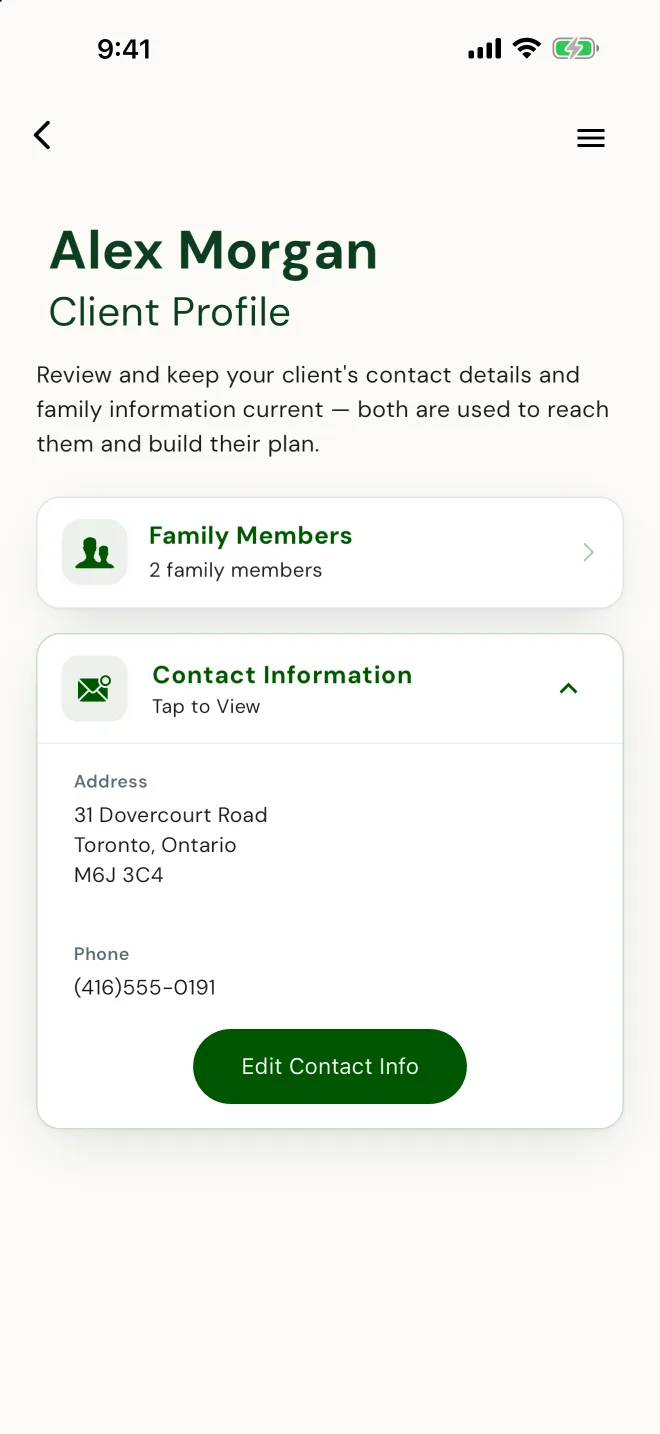
Their details, in your file.
Alex entered their contact information and household on their phone. You didn't type any of it.
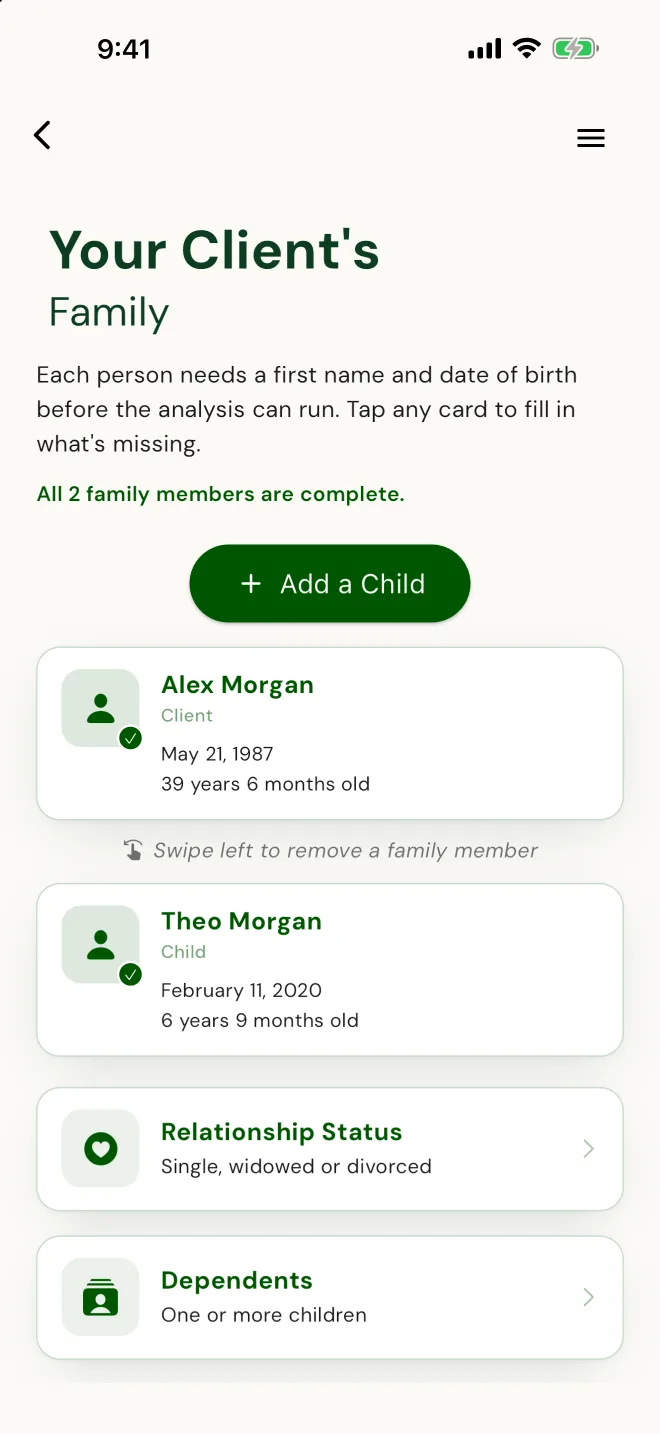
Everyone in the household, with birthdates.
Alex and their child Theo, each with a date of birth, ready for the analysis.
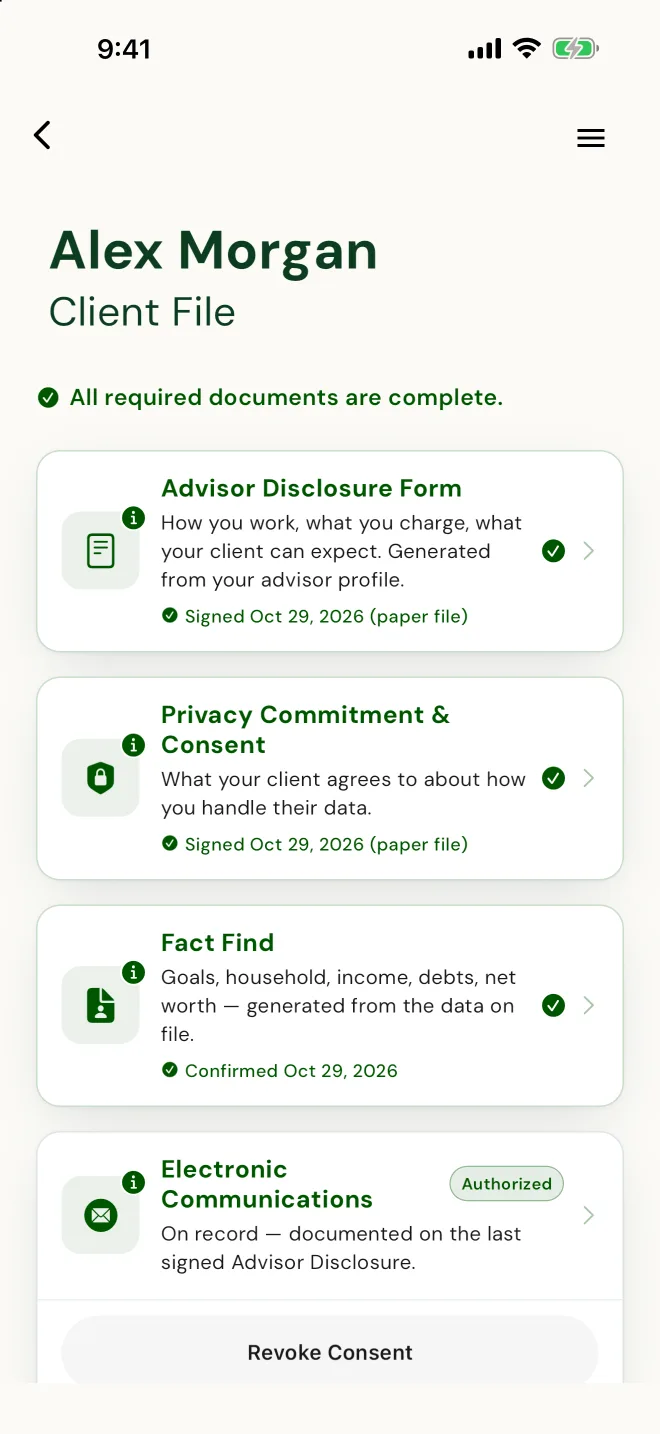
Signed, so it's complete before you recommend anything.
Advisor disclosure and privacy consent signed, and the fact find, built from what Alex entered, confirmed by Alex.
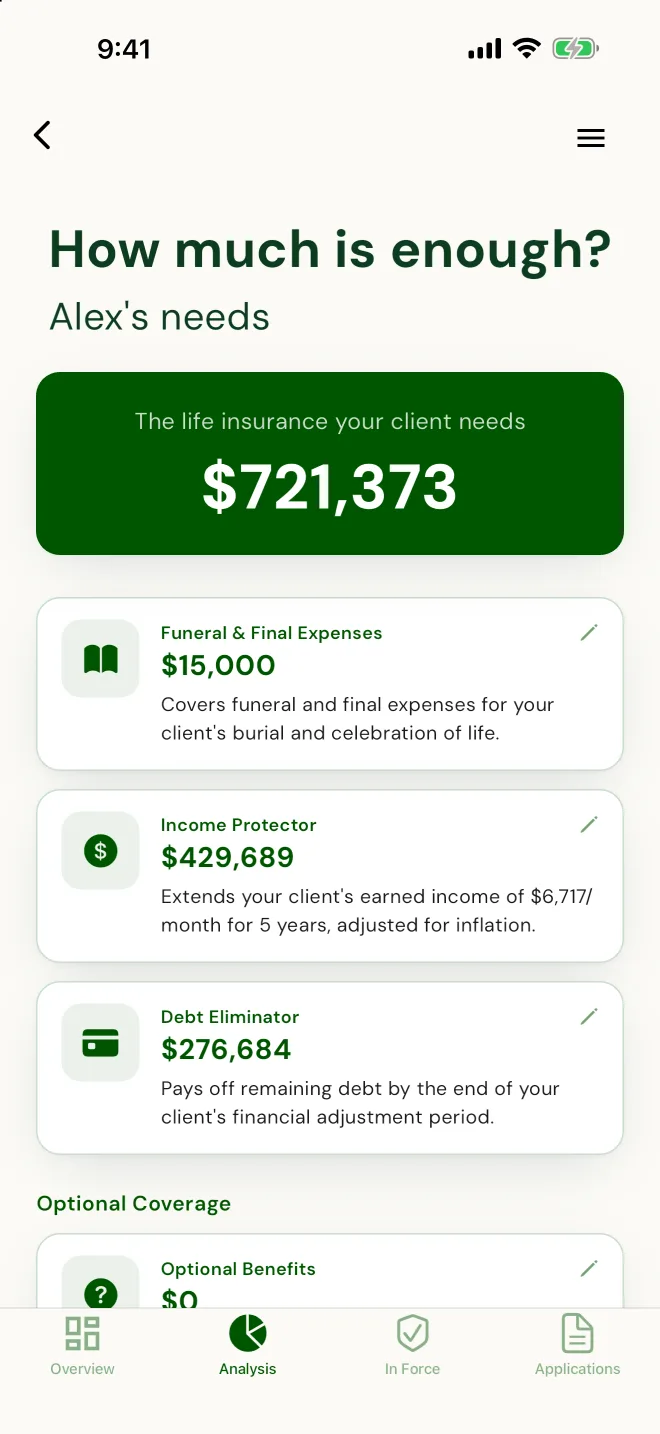
How much is enough, worked out for you.
Final expenses, income replacement and debts, from the numbers Alex entered. You add education, time off to grieve and estate costs when you review it together.
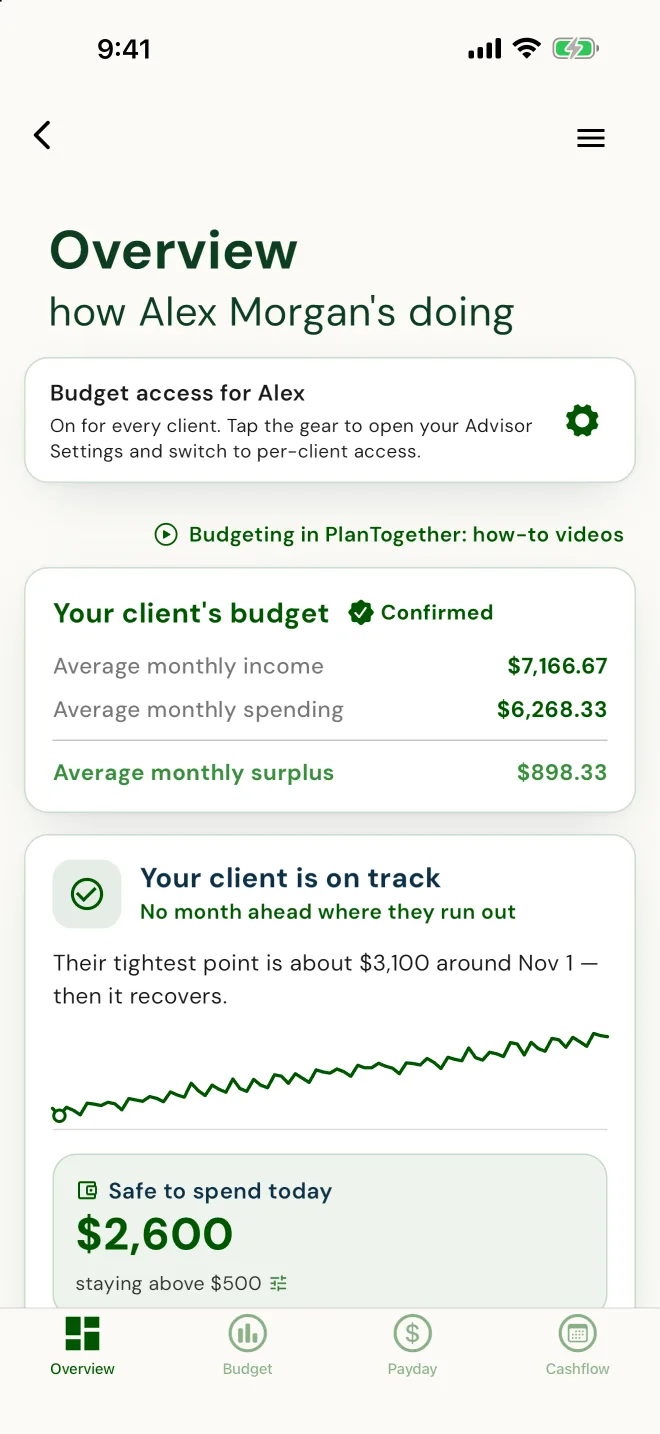
Their numbers, in front of you when you plan.
A confirmed budget, the monthly surplus and whether they're on track, from the Overview your client sees, once you turn budget access on.
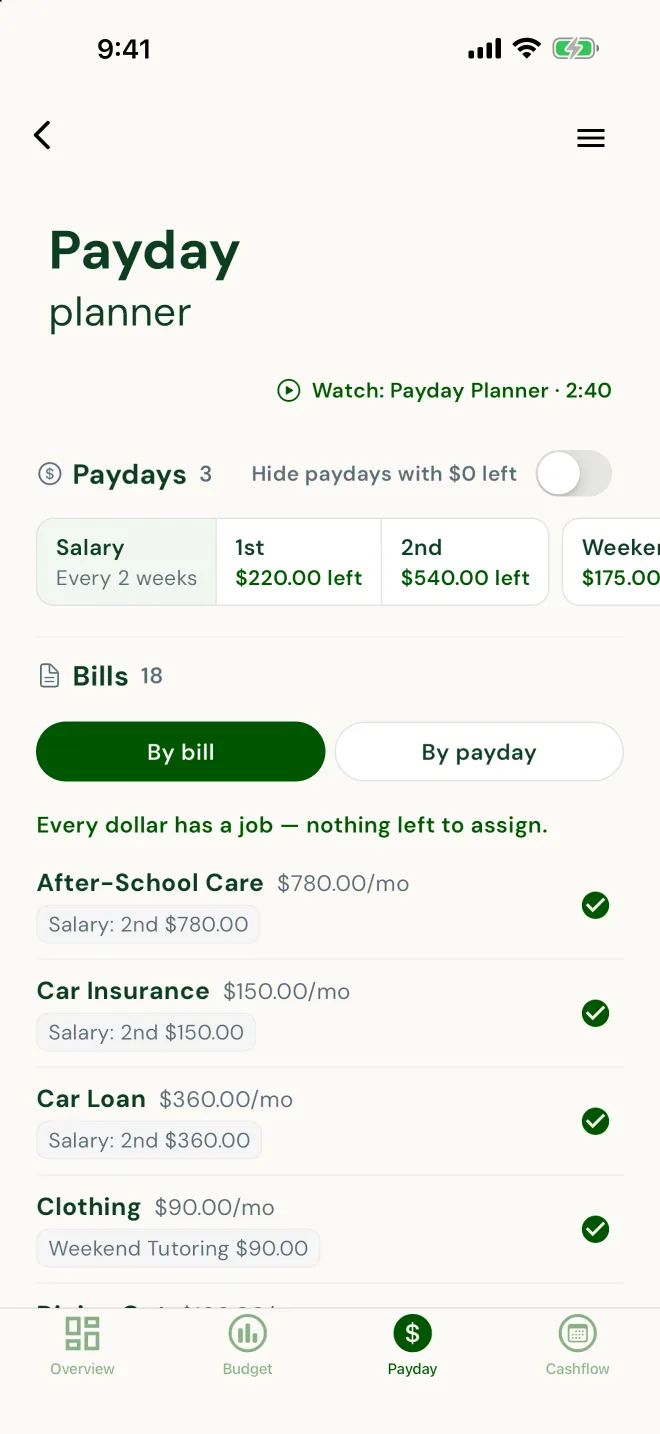
Every bill has a payday.
You see how they pay their way through the month.
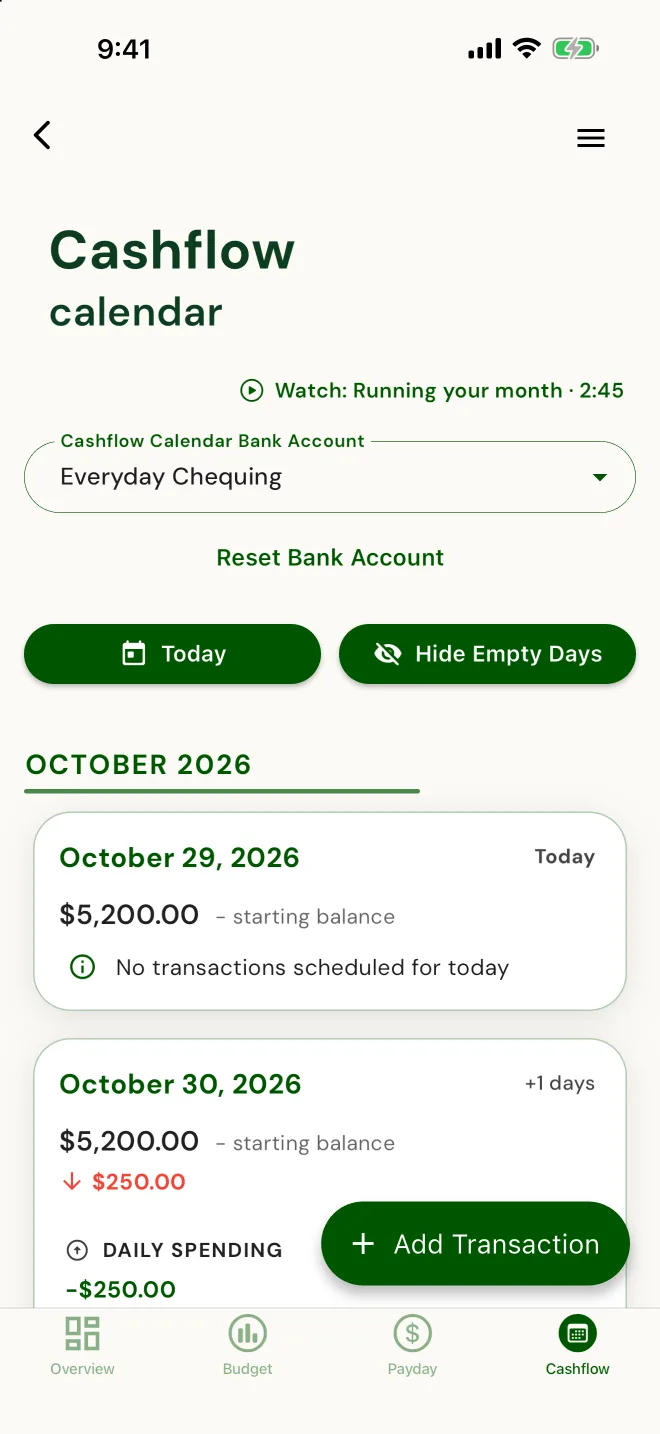
Every bill and deposit, on a date.
Their month ahead, day by day, current because they keep it current.
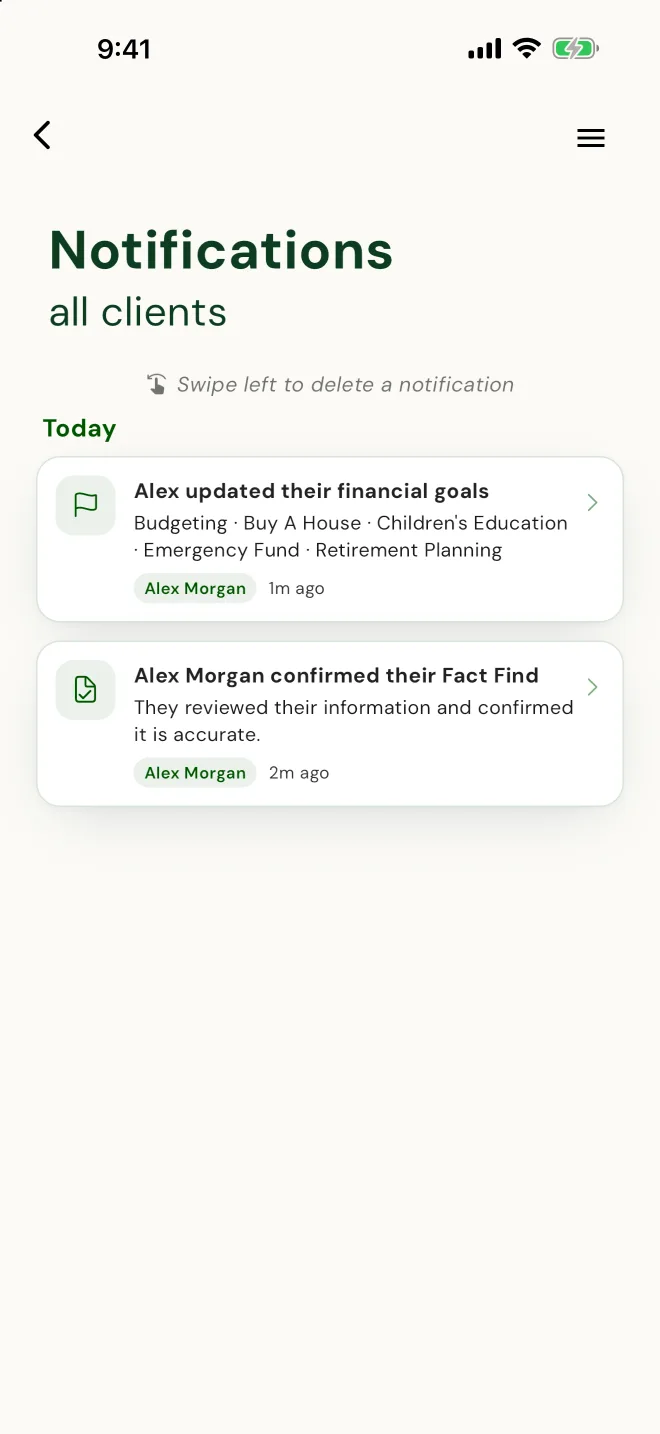
Told when it's time to review.
When a client's goals change or they confirm an updated fact find, you're told, so you know when to review their coverage. The milestones, not every edit.
That's the job description. You review and recommend.
Real app screens. Demo household.
Your side of PlanTogether, in plain terms.
When should I start collecting a new client's information?
After you've both decided to work together. The first meeting is for getting to know each other. Once you've both said yes, invite them, and they fill in their own information on their phone, with you across the desk, or at home.
Read more
Someone who hasn't decided to work with you won't share personal details, and shouldn't have to. After the yes, they will. What they enter starts the plan you build, so there's nothing to retype when you get back to the office.
How do I invite a client?
Once you've both said yes, invite them from your dashboard: first name, last name and email. The client downloads PlanTogether on iOS or Android, accepts, and they're connected to you. Then they fill in their own information, and the plan you build starts from it. Nothing to retype.
Read more
They fill in their own profile, with you or at home, at their own pace: who's in their household, who depends on them, how to reach them, and their goals. If you turn on their budget, their income, spending and debts come in through it too.
For Canadian life-licensed advisors, the client file comes together the same way. The Fact Find is built from what your client entered, and they confirm it on their phone. Your advisor disclosure is built from your profile. Your client signs it and their privacy consent on their own phone with you there, in person or on video, or from an emailed link, or you record a signed paper copy. Each one is kept in their client file. E-signature for the client-file forms comes with Starter and up, and you can try it on your first clients on SetUp. Life-sale e-signature is on the Compliance plan.
The invitation is personal, one client at a time. After that, the day-to-day belongs to the client: it's their app and their numbers. Your side is watching the plan you built fill in with their figures.
Who follows up when a client goes quiet?
PlanTogether does, in your name. If a client hasn't accepted your invitation, they get a reminder email on day 2 and day 6, and you get a heads-up on day 4 to reach out yourself. If they haven't finished their profile, a short reminder from you lands on their phone. So does one to start their budget, if they picked budgeting and you've turned it on. If they use the Cashflow Calendar and it goes quiet for a week, they get a weekly nudge to keep it current, four in a row at most. Pause reminders for any client, or switch them off in Settings. Clients can switch them off too.
Read more
Reminders arrive in the evening, between 6:30 and 8 pm the client's time. Never more than one a day or three a week, none if the client opened the app in the last 24 hours, and each one stops the moment the step is done.
On Monday morning you get one notification: how many clients PlanTogether reminded last week, and how many picked up where they left off. You stay the relationship; the app does the chasing.
Can I schedule client meetings in PlanTogether?
Yes, for life-licensed advisors on SetUp, Planner or Compliance. Schedule a meeting, or log one that already happened. Your client gets an email with a calendar file and accepts, or taps "Can't make it", and you both get a reminder the day before. Your notes stay yours: what you discussed, and why your advice fits, kept in the client's file.
What do I get back when clients use it?
Their information, already in, and kept current between meetings. When a client pays down a balance, adds an expense or gets a raise, they update it in their app, and it's in the file you plan from. You can see what changed, who changed it and when. You're told at the milestones: when a client accepts, finishes onboarding, builds a budget or changes their goals, and in Canada when they confirm their Fact Find or change their email consent (CASL). Your next meeting starts at the decision, not the data entry.
Read more
Worth being plain about what PlanTogether doesn't do: no insurance quoting, no product or illustration comparisons, no in-force illustrations, and no CRM pipeline. It isn't trying to replace your quoting tools or your book-of-business system. It works alongside the software you already use.
What it does is narrow and useful: one file you both work from, where your plan and the client's current numbers are the same record, not two versions that drift apart between meetings.
What do my clients see?
Their own information first: their household, the people who depend on them, how to reach them and their goals, filled in on their own phone. Then their own budget, when you turn it on: their Budget and Debt Freedom, with payoff dates and an extra-payment slider. The Payday Planner and the Cashflow Calendar are there when they want them; clients switch them on themselves, and the Cashflow Calendar adds a Safe to spend number and a 12-month runway. No advisor jargon and no product shelf: it reads like their own money app, because it is one. When a client picks budgeting as a goal and their budget is still off, PlanTogether asks you to turn it on for them. They build it in about 10 minutes and confirm it's theirs at the end.
Read more
- Budget - the day-to-day spending plan
- Debt Freedom - payoff dates, with an extra-payment slider
- Goals - the things the plan is actually for
- Payday Planner and Cashflow Calendar - switched on by the client, when they want them
- Safe to spend - one number, backed by a 12-month cashflow runway, with the Cashflow Calendar on
Each of those tools has its own walk-through - screens, the Safe to spend math, how Debt Freedom handles extra payments - on the client budgeting app tour. This page stays on your side of the relationship: inviting clients, what comes back to you, and what it costs.
Who pays for PlanTogether?
Your clients don't pay for the app. PlanTogether bills you, not them. If you decide to charge a client for budget access, you set that up with them yourself, outside the app. Clients download the app on iOS or Android, accept your invitation and fill in their own information. Their budget opens when you turn it on. If it's still off, they can ask you to turn it on, right from the app.
Read more
That's the whole billing relationship: you carry the subscription. Whether you're a life-insurance advisor building a case for coverage or an accountant keeping a household on track, the client side is the same app on both sides of the border.
What does it cost me?
Your first 5 clients are on us: the SetUp plan is $0 a month, with everything except e-signature, and you can try e-signing on your first clients. Past 5: Starter at $39 a month (client onboarding, the client-file forms with e-signature, and client budgets), Planner at $59 (adds the life-insurance needs analysis, meetings, and savings, investments and net worth) and Compliance at $79, Canada only (adds life-sale compliance with e-signature). Other financial professionals choose Essentials at $39. Billed in CAD in Canada and USD in the US; the compliance forms and e-signature are Canada only. Your clients don't pay for the app.
Read more
- SetUp - $0/month. Everything except e-signature, for you and your first 5 clients. Try e-signing on your first clients.
- Starter - $39/month. Client onboarding, the client-file forms with e-signature (Canada), and client budgets.
- Planner - $59/month. Starter, plus the life-insurance needs analysis, meetings, and savings, investments and net worth.
- Compliance - $79/month, Canada only. Planner, plus life-sale compliance with e-signature.
- Essentials - $39/month, for other financial professionals.
Prices are per month, CAD in Canada and USD in the US. The plan-by-plan breakdown is on the pricing page.
I already have my own forms.
Keep them, if they work for you. The forms were never the hard part; what goes in them is. In Canada, the Fact Find is built from what your client entered, and they confirm it on their phone, so there's nothing to retype. Already have a signed copy? Record it in the client file. And if you don't need the compliance reminders, turn them off in Settings.
What can I show my compliance team?
What our privacy policy commits to. Client information is encrypted in transit and at rest, on Google Cloud / Firebase, with primary servers in Montreal, Quebec. Our own access is role-based, least-privilege and audit-logged. We don't sell personal information. The service providers we use are named in the policy, and some of them process information in the United States. Clients can only join by your invitation. And PlanTogether works alongside the software you already use.
Read more
The full wording, including the list of service providers, is in our privacy policy.
Canadian life-licensed advisors: the client file, then the life sale
If you sell life insurance in Canada, the client file comes first: your advisor disclosure, privacy consent, CASL consent, and a Fact Find built from what your client entered and confirmed by them. Then the life sale, the upgrade: needs analysis, the reason-why letter, replacement paperwork including the Quebec AMF notice, and the policy delivery receipt, with each application tracked through to delivery. Signed copies go on record in the client's file, with a dated audit trail behind every document.
Read more
It takes most of the work out of compliance, with rules for every province and territory, built from 155 primary regulatory sources. A life sale can't start until the client file is complete. If you advise in the US, or you aren't life-licensed, none of this card applies to you: your PlanTogether is client onboarding, their own budget when you turn it on, and reminders in your name.
The full compliance story, from the client file to each document in the life sale and how the audit trail holds up, is on the life insurance page.
Download PlanTogether and invite your first client. Your first 5 clients are on us, and clients don't pay for the app. The plan-by-plan breakdown is on the pricing page.
Updated October 2026.