A budgeting app your clients open all year.
Your name on the invitation, their numbers in the app: a household budget, a payday for every bill, a cashflow calendar and a payoff date for every debt.
An interactive tour of real app screens. Use the buttons on the phone, or the Next button beside it, to move through it.
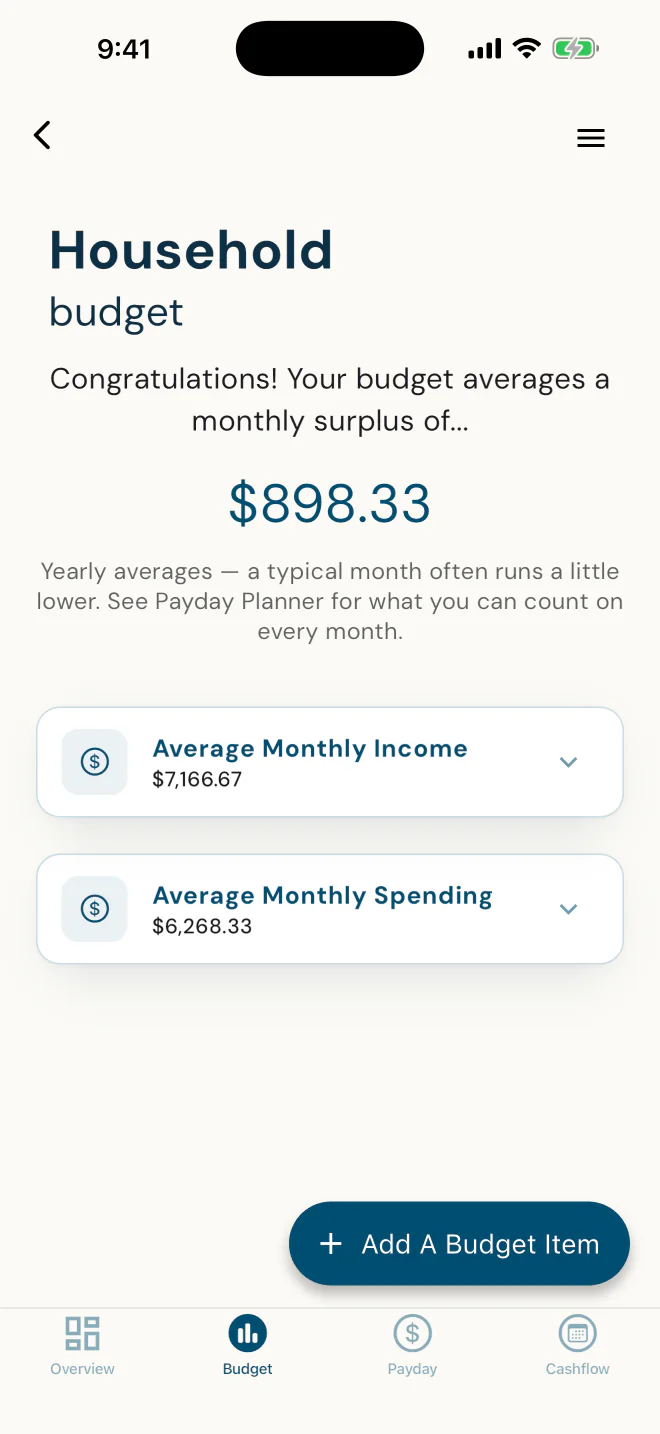
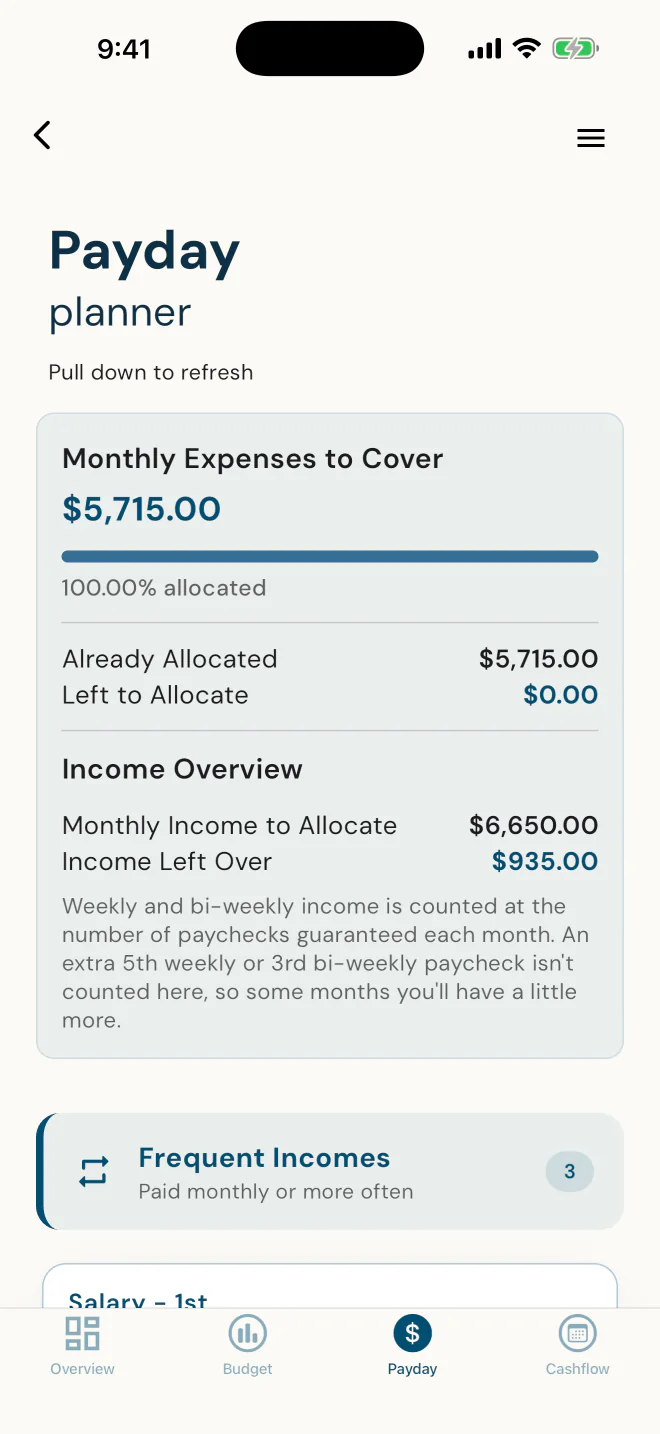
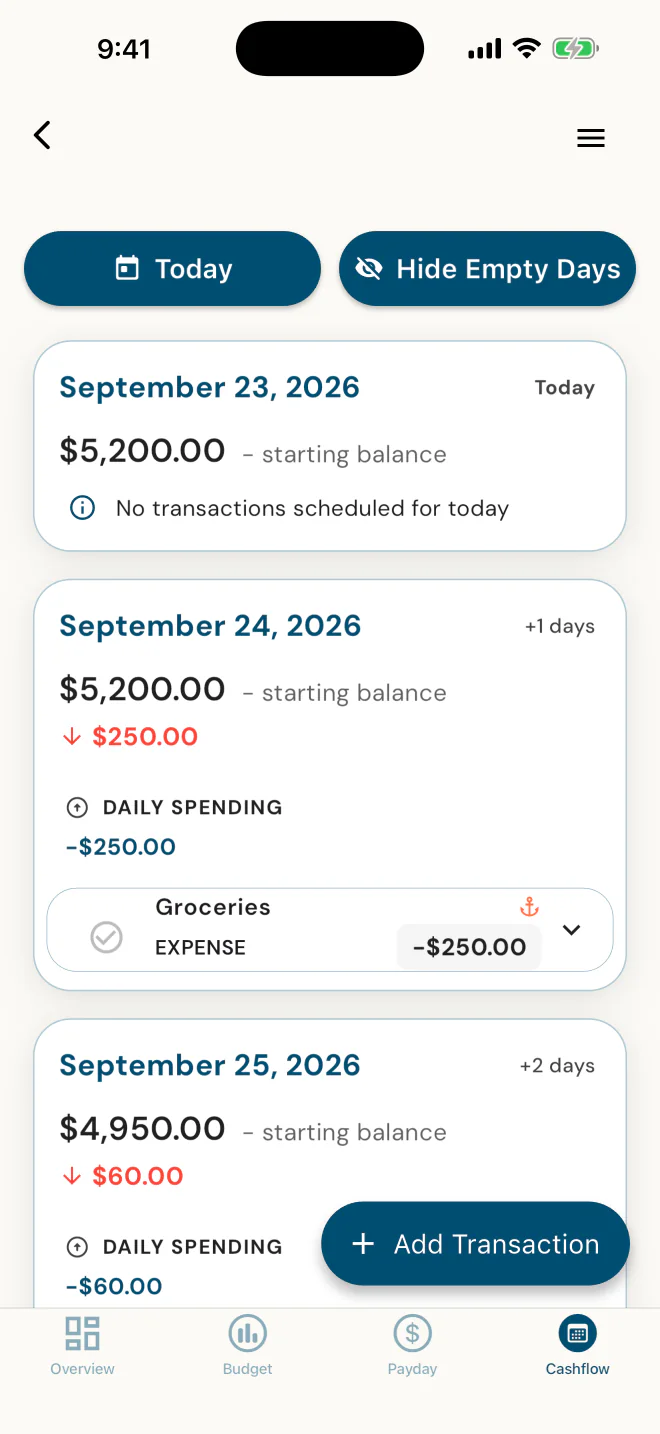
Take the client app for a spin
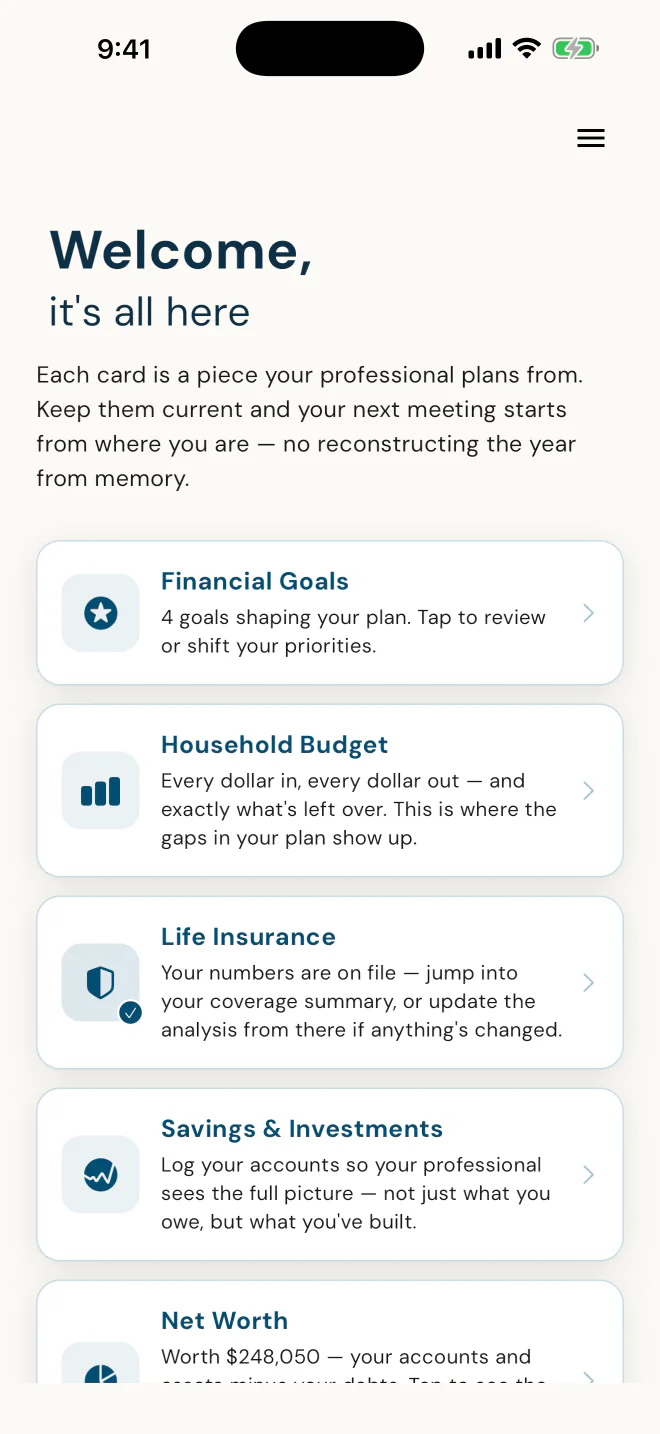
It tells them why to keep it current.
In the app's own words: "Keep them current and your next meeting starts from where you are."
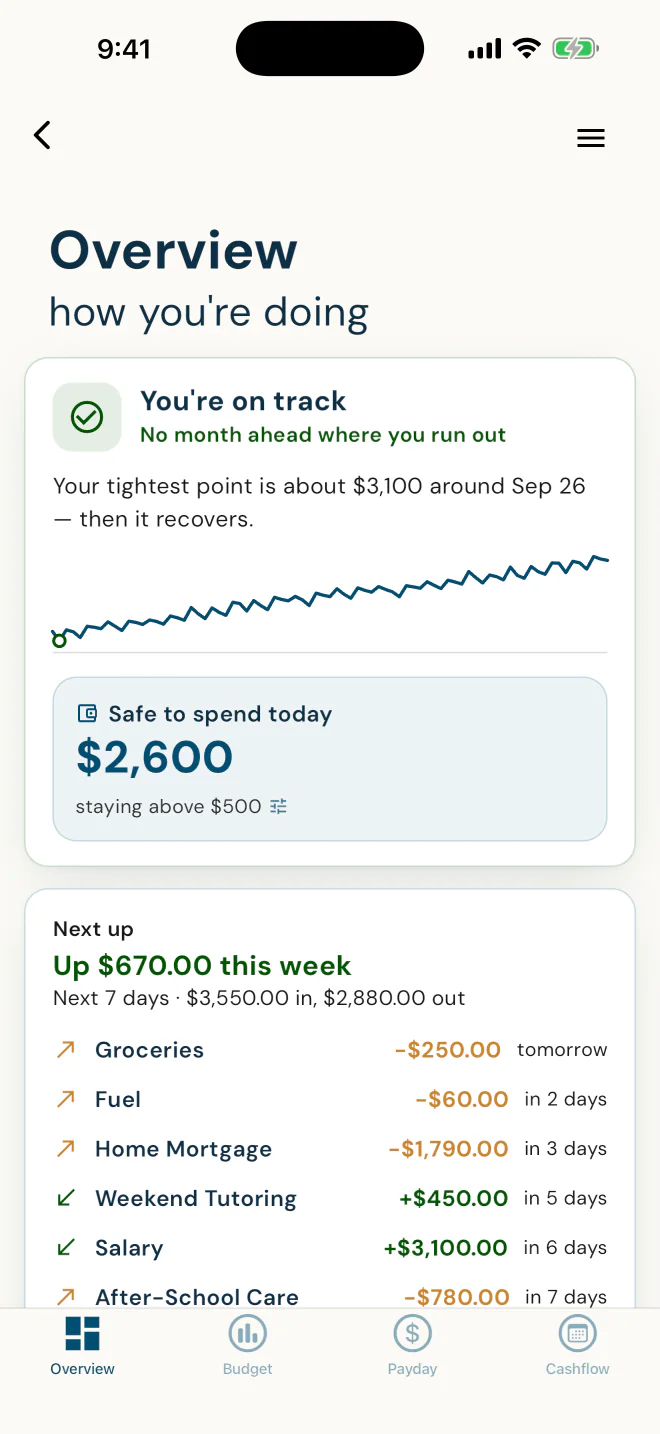
What's safe to spend today, in one number.
It plays their scheduled bills and paydays forward twelve months, stays above a cushion they choose, and names the tightest point before it arrives. For Alex: "You're on track."
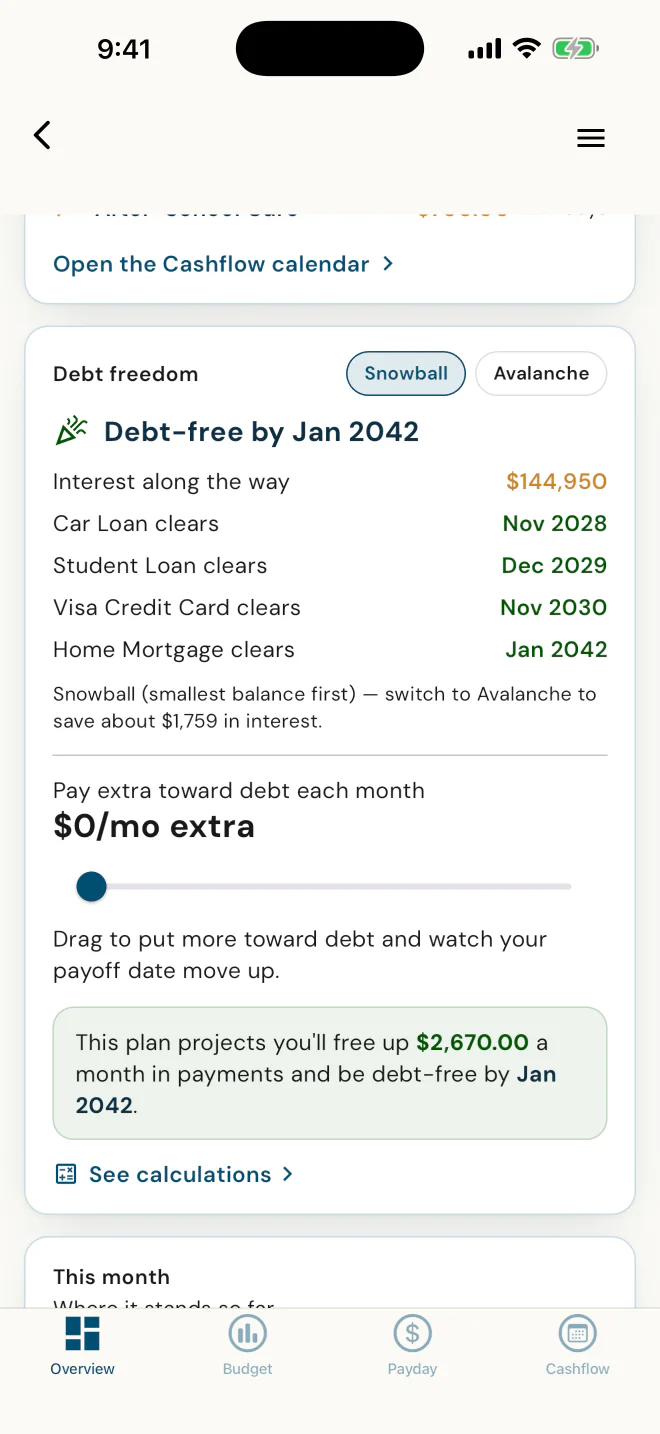
A payoff date for every debt.
Snowball or Avalanche, and what switching saves. For Alex, Avalanche would save about $1,759 in interest.
"I believe in the Snowball method, because if we were already making the right math decisions, we wouldn't have debt." · Dawn Ewing, Advisor, DFSIN
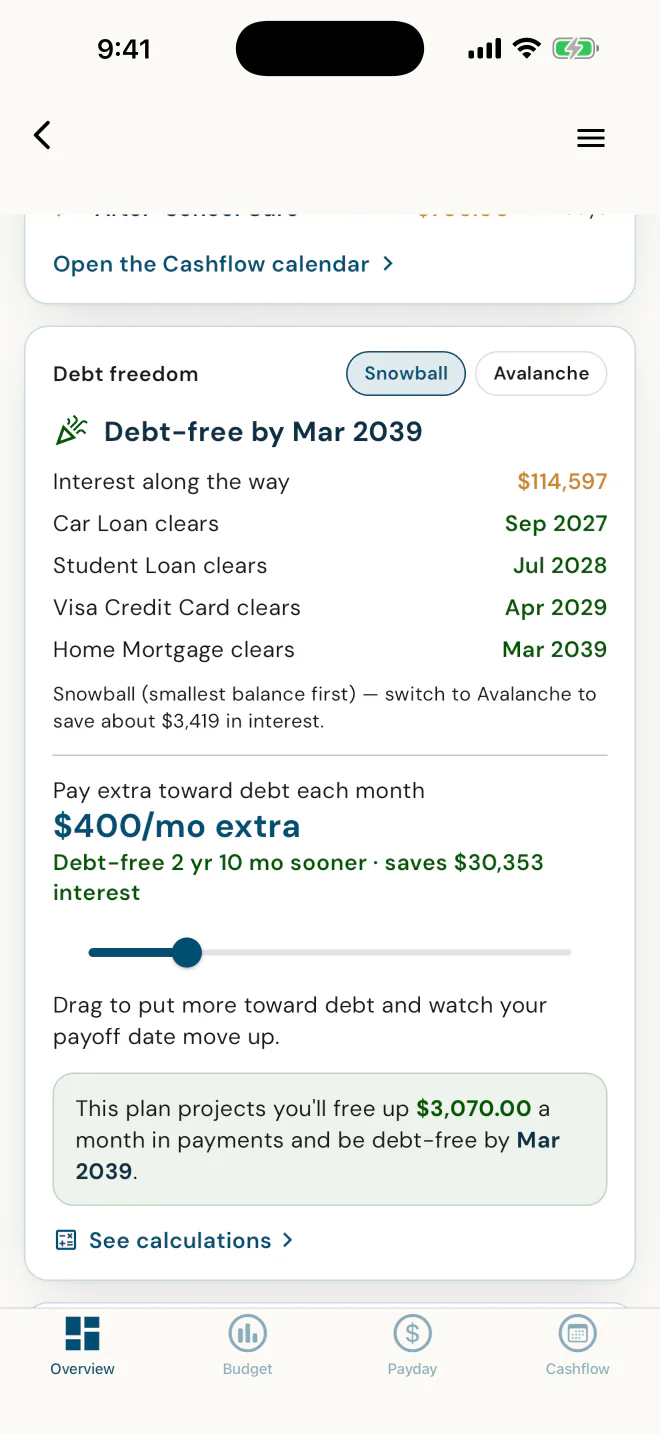
Drag the slider, see the new date.
In Alex's plan, $400 a month more moves debt-free from Jan 2042 to Mar 2039. They see what extra buys before a dollar moves.
Money in, money out, and what's left.
Averaged across the year, so a yearly bill or a three-paycheque month is spread evenly. For what they can count on every month, the Payday Planner is one tap over.
Every expense gets a payday.
Each bill matched to the paycheque that covers it, down to the dollar. Clients switch it on themselves.
Every bill and deposit, on a date.
They start from today's balance, put each bill and deposit on its date, and confirm each one as it happens, so the calendar matches real life. Clients switch it on themselves.
Now see what Alex's numbers look like from your side.
Real app screens. Demo household.
Clients who stay, and clients who refer.
Clients who stay
Tax clients shop around every spring. A budgeting app they use all year, from you, gives them a reason to come back to you instead.
Clients who refer
People talk about the tools that help them with money. When a client shows a friend the app that keeps their budget on track, they're showing them their tax preparer.
Their numbers, current, and a reason to call.
- One client file with their household, budget, debts and goals, entered by them, not re-keyed by you.
- A heads-up when a client finishes their setup, not a notification for every edit.
- Budget Access is yours to switch on, for every client or client by client.
Your clients don't pay for the app. PlanTogether bills you, not them. If you decide to charge a client for budget access, you set that up with them yourself, outside the app.
Your first 5 clients are on us. Then one flat price.
SetUp
Everything in Essentials, your first 5 clients on us.
- The budgeting app, plus savings and investment balances and net worth
- You plus your first 5 clients who accept your invite
- No credit card, no trial clock
- Past 5? New client cards wait until you pick a plan.
Essentials
Scale past 5, with the full budgeting app and the money picture for every client.
- Every client past your first 5
- The full budgeting app: At a glance, Debt Freedom, Household Budget, Payday Planner and Cashflow CalendarBudget Access on for every client, or client by client.
- Savings and investment balances, and net worth
- Clients don't pay for the app. If you decide to charge a client for budget access, you set that up with them yourself, outside the app.
Already have an account? Sign in to choose your plan.
Prices in CAD for Canadian professionals and USD for US professionals. Paid plans replace one another - never stacked.
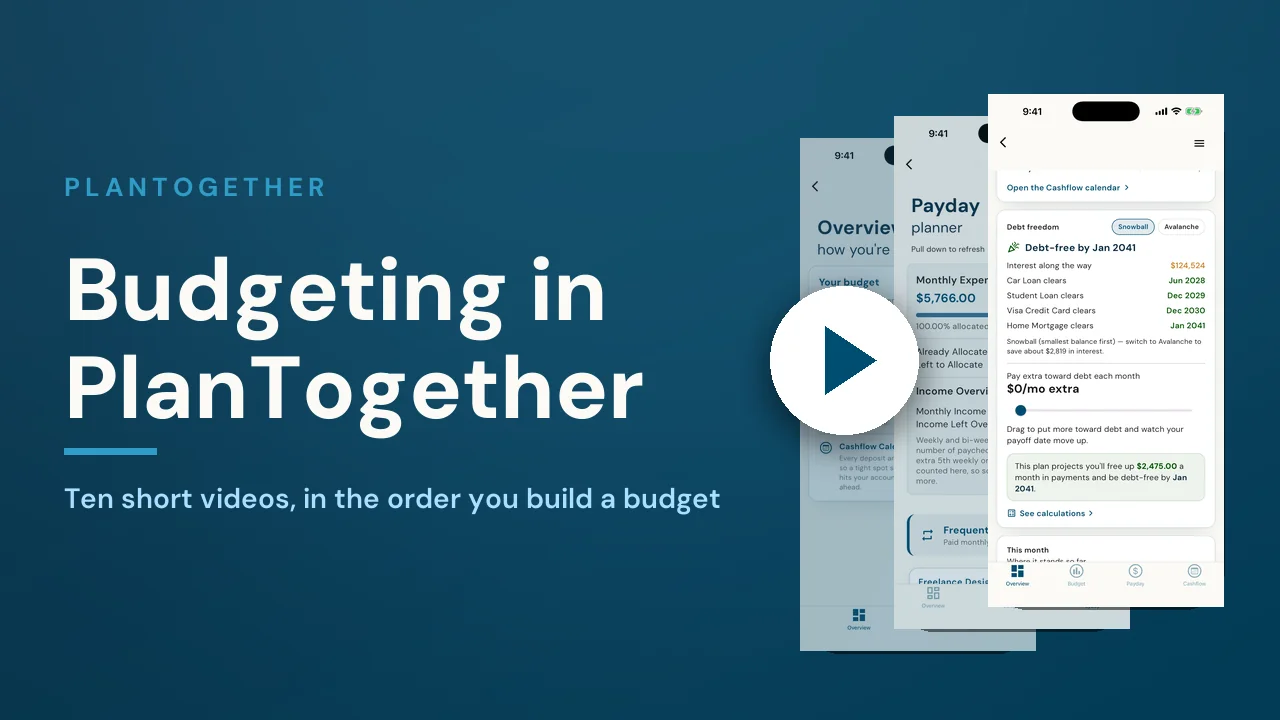
Ten short videos, one budget.
Send new clients here and they learn the app from start to finish in about 22 minutes, one short video at a time.
- 1Where your budget livesWhere to find the budget, and what the Overview and Budget tabs are each for.1:29
- 2Add your incomeEvery source of income, and why how often it lands matters more than the amount.1:23
- 3Add your expensesAdding expenses: categories, how often each is paid, editing and deleting.1:55
- 4Debts, housing and savingsWhy debts, housing and savings each have their own door, and what each one unlocks.2:46
- 5Reading your budgetSurplus and shortfall, the income and spending breakdowns, and what yearly averages mean.1:41
- 6Payday PlannerGive every expense a payday, so you know before the money lands whether it is covered.2:40
- 7Cashflow Calendar setupChoose the account you pay from, enter today's balance, and put every bill and deposit on a date.2:20
- 8Running your monthConfirming, rescheduling, splitting and skipping entries so the calendar matches real life.2:45
- 9Runway and safe to spendThe runway, Safe to spend and the safety cushion: what you can spend today without a problem next week.2:05
- 10Debt FreedomYour debt-free date: how Snowball and Avalanche differ, and what an extra payment buys you.2:35
Do my clients pay for the app?
No. Your clients don't pay for the app. PlanTogether bills you, not them. If you decide to charge a client for budget access, you set that up with them yourself, outside the app.
What does it cost me?
SetUp is $0 a month for you and your first 5 clients who accept your invite, with no credit card. Past 5, Essentials is $39 a month, one flat price however many clients you invite. Billed in CAD in Canada and USD in the US, month to month.
Do I need a licence?
No. PlanTogether works for tax preparers, accountants, bookkeepers and money coaches with no licence at all. The life-insurance analysis and the two compliance modules are for life-licensed advisors, so they are not part of Essentials.
What do my clients enter, and how long does it take?
They follow the app: their household and goals, then income, housing, debts, savings and spending. Most finish in about ten minutes. They keep it current themselves, and you work from those numbers.
How do I invite a client?
From your dashboard: first name, last name and email. The client downloads PlanTogether on iOS or Android, accepts, and is connected to you.
Does PlanTogether prepare or file taxes?
No. PlanTogether is a budgeting app and client file, not tax software. It keeps your clients' household numbers current between tax seasons, and your tax software stays as it is.